Types of Printers You Should Know in 2026
by Karen Jones · April 04, 2022
Last spring, I stood in the printer aisle at a big-box store for nearly twenty minutes, completely paralyzed. There were inkjets, lasers, all-in-ones, and specialty machines lining the shelves — each one promising to be the best choice. If you've ever felt that same wall of confusion, you're not alone. Getting a clear handle on the types of printers explained from the ground up is the single fastest way to cut through the noise and make a confident purchase. This guide covers everything you need to know, from casual home printing to craft-ready specialty machines — and it pairs well with everything else in our printer guides resource hub.
The printer market has expanded dramatically. What started as basic document machines now includes devices built specifically for photo printing, heat transfer crafts, sublimation, vinyl cutting, and more. Each type carries a different set of strengths, cost structures, and ideal use cases. Understanding those differences before you buy saves you money and a lot of frustration down the road.
Whether you're setting up a home office, launching a small t-shirt business, or leveling up your Cricut projects, the right printer makes all the difference. Read on to find exactly where each machine fits — and which one deserves a spot on your desk.
Contents
Knowing Where to Start: Printers for Every Skill Level
Before you compare specs and features, it helps to know who you are as a printer user. The wrong machine for your skill level creates friction — and often ends up collecting dust on a shelf. Ask yourself honestly: what will you print most, and how often?
Home Users and Casual Printers
If your printing needs fall into the everyday category, your requirements are relatively straightforward. Here's what typically matters most at this level:
- Low upfront cost — you don't need a commercial-grade machine
- Occasional document printing — school papers, forms, coupons
- Basic photo printing a few times per month
- Compact footprint that fits on a desk or shelf
- Simple wireless setup with a mobile printing app
For home users, an entry-level inkjet or a compact laser printer almost always hits the right balance between price and performance. You don't need to overspend — but going too cheap often means paying far more for ink over time.
Creative Professionals and Craft Enthusiasts
If you're deep into heat press transfers, sublimation printing, screen printing, or Cricut projects, your needs are fundamentally different. You need a machine that delivers consistent color accuracy, handles specialty media, and holds up through high-volume printing sessions.
Craft-focused users typically prioritize:
- Wide color gamut for vibrant, true-to-screen transfer prints
- Compatibility with sublimation ink or dedicated pigment ink systems
- Support for thicker paper stocks and specialty transfer media
- High-yield ink options to keep per-print costs manageable
- Reliable feed mechanisms that won't jam on non-standard paper
The jump from beginner to advanced mostly comes down to volume and material compatibility. Once you're printing more than a few dozen sheets per week, the cost-per-page math changes everything about which machine makes sense.
Types of Printers Explained: Common Categories and Their Uses
Here's where the rubber meets the road. Getting the types of printers explained in plain terms — without drowning in spec sheets — is exactly what this section delivers. Each category below has a specific home, and knowing the difference is the key to buying right the first time.

Inkjet Printers
Inkjet printers spray microscopic droplets of liquid ink onto paper through tiny nozzles. They're the most common type found in homes — and for good reason. They handle a wide range of media and produce smooth, continuous-tone color that photographs demand.
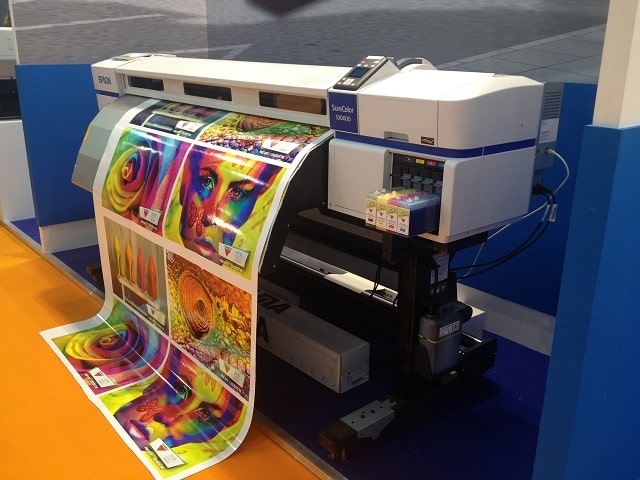
Where inkjets shine:
- Photo printing with rich, continuous color gradients
- Printing on specialty papers — glossy, matte, canvas, transfer paper
- Heat transfer and sublimation workflows when paired with compatible ink
- Low upfront hardware cost compared to laser alternatives
Inkjets are the go-to machine for anyone working with printable heat transfer paper for t-shirt and craft projects. The ink laydown on transfer media is consistently superior to laser output for these applications.
One real limitation: inkjet nozzles can clog if the printer sits unused for weeks. Plan to run a test print at least every ten to fourteen days to keep the heads clear and avoid costly repairs.
Laser Printers
Laser printers use a toner cartridge and an electrostatic drum to fuse powdered pigment onto paper with heat. The result is crisp, fast text output that resists smearing — making them the workhorse of offices worldwide.
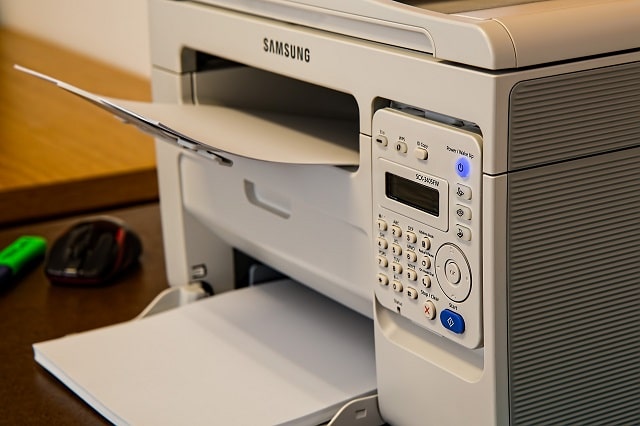
Where laser printers dominate:
- High-volume document printing — hundreds of pages per week
- Sharp monochrome text output with no smearing
- Lower cost-per-page compared to inkjet at high volumes
- Fast print speeds — typically 20 to 40 pages per minute
Color laser printers can handle photo output, though they tend to produce slightly flatter colors than a dedicated photo inkjet. According to Wikipedia's overview of laser printing, the technology was originally developed at Xerox PARC in the 1970s and has since become the dominant printing method in office environments worldwide.
Thermal Printers
Thermal printers work by applying heat to specially coated paper, causing it to darken in precise patterns — no ink required. You've seen their output every time you receive a receipt or a shipping label. They're built for speed, simplicity, and reliability in label-heavy environments.
Best uses for thermal printers:
- Shipping labels for e-commerce businesses
- Barcode and QR code printing at volume
- Receipt generation at point-of-sale
- Name badges and event wristbands
If you want a deeper dive into how the heat-based process actually works, the guide on how thermal printers work explains the direct thermal vs. thermal transfer distinction clearly — including which method is right for archival-quality labels.
All-in-One Printers
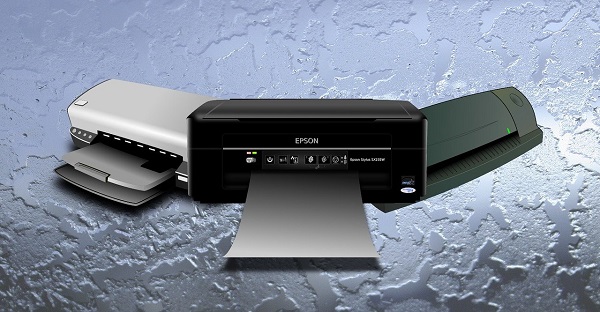
All-in-one (AIO) printers combine a printer, scanner, and often a copier into a single unit. For home offices and small businesses, they deliver serious value per dollar of desk space used.
What you get with an all-in-one:
- Print, scan, and copy from a single machine
- Flatbed or automatic document feeder (ADF) for multi-page scanning
- Fax capability on select models
- Mobile and cloud printing support built in
The trade-off is that AIO machines rarely outperform dedicated single-function printers at any one task. They're a compromise — an excellent one if desk space or budget is limited, but a compromise nonetheless.
Weighing the Pros and Cons of Each Printer Type
Every printer category comes with real trade-offs. The best way to see them side by side is with a direct comparison. Use this table to narrow down your options before you commit.
| Printer Type | Best For | Avg. Cost Per Page | Print Speed | Key Weakness |
|---|---|---|---|---|
| Inkjet | Photos, crafts, transfer media | $0.05–$0.25 | 5–15 ppm | Nozzle clogging; higher ink cost |
| Laser (Mono) | High-volume text documents | $0.01–$0.05 | 20–40 ppm | Limited specialty media compatibility |
| Laser (Color) | Office documents with color | $0.08–$0.20 | 15–30 ppm | Flatter photo color than inkjet |
| Thermal | Labels, receipts, barcodes | $0.02–$0.08 | Very fast | Specialty paper only; output fades over time |
| All-in-One | Home offices; mixed daily tasks | Varies by engine | Varies | Jack-of-all-trades; master of none |
| Sublimation | Fabric printing, mugs, hard substrates | $0.10–$0.30 | Slow | Polyester and coated surfaces only |
Inkjet Advantages and Drawbacks
Advantages:
- Exceptional photo and color quality with smooth tonal gradients
- Works with the widest range of specialty media on the market
- Lower entry price than most laser alternatives
- Essential for sublimation and heat transfer printing workflows
Drawbacks:
- Ink cartridges are expensive relative to yield on budget models
- Slower print speeds on standard text documents
- Nozzles clog during extended periods of inactivity
- Prints can smear before the ink fully dries on certain paper stocks
Laser Advantages and Drawbacks
Advantages:
- Extremely sharp, professional-grade text output
- Low cost-per-page at high volumes — a real advantage for offices
- Toner doesn't dry out when the printer sits idle for weeks
- Fast throughput for document-heavy workflows
Drawbacks:
- Higher upfront hardware cost, especially for color laser models
- Limited compatibility with specialty or thicker craft media
- Toner can crack along heavy fold lines in finished documents
- Larger physical footprint than most entry-level inkjets
Specialty Printer Trade-offs
Sublimation printers, wide-format inkjets, and dedicated photo printers occupy their own lane. They're purpose-built for specific outputs — and that specialization comes at a real price.
- Sublimation printers produce vibrant, wash-resistant prints on polyester fabric and coated hard substrates — but they won't work on natural fibers or uncoated surfaces
- Wide-format inkjets handle banner and poster-size output but cost significantly more and require dedicated workspace
- Dedicated photo printers deliver stunning gallery-quality output but make no sense for everyday document printing
If your work spans both document printing and craft applications, you'll likely end up with two machines. That's a normal setup for serious creators — not a failure to find one perfect device.
Smart Tips for Picking the Right Printer
Choosing a printer is less about finding the most powerful machine and more about matching the right tool to your actual workflow. These tips cut through the marketing noise and get you to the right decision faster.
Match the Printer to Your Output
Start by listing everything you plan to print in a typical month. Be specific. Then match each output type to the machine built for it:
- Text-heavy documents → monochrome laser printer
- Photographs and fine art prints → dedicated inkjet photo printer
- T-shirt transfers and heat press projects → inkjet with pigment or sublimation ink
- Shipping labels and barcodes → direct thermal label printer
- Mixed home office tasks → all-in-one inkjet or laser
- Mugs, mouse pads, polyester garments → sublimation printer setup with a heat press
Don't try to stretch one machine across incompatible workflows. An inkjet converted for sublimation cannot go back to regular ink — the systems are mutually exclusive once you commit. Plan your workflow before you buy, not after.
Budget Beyond the Sticker Price
The purchase price is almost never the biggest expense. Here's how to think about total cost of ownership before you swipe your card:
- Ink or toner yield — calculate cost per page, not cost per cartridge
- OEM vs. third-party supplies — compatible cartridges can cut costs significantly but vary in quality and reliability
- Maintenance kits — laser printers require periodic drum and fuser replacements that most buyers don't anticipate
- Paper and specialty media — sublimation paper, transfer paper, and photo paper add up fast at volume
- Warranty and support — business-class machines often include next-day swap programs that are genuinely worth paying for
A printer that costs $80 upfront but burns through $40 cartridges every 200 pages costs more long-term than a $200 model with high-yield options. Do the math before you commit — every time.
Planning for the Long Run: Ink, Upkeep, and Upgrades
A printer that works well on day one needs a plan to keep working well on day 500. Most buyers underestimate maintenance — and end up replacing machines far sooner than necessary. A little proactive care goes a long way.
Understanding Ink and Toner Costs
Ink cost is where printers make their margin — the hardware is often sold near cost to lock you into the supply chain. Here's how to stay ahead of it:
- Look for printers with high-yield or XL cartridge options — they're almost always cheaper per page than standard cartridges
- Consider EcoTank-style inkjet systems with refillable ink reservoirs — upfront cost is higher, but per-page costs drop dramatically over time
- For laser, the drum and fuser are separate from toner — budget for those replacements every 20,000 to 50,000 pages
- Run a nozzle check and head cleaning on your inkjet every few weeks to avoid costly printhead replacements
- Store unused ink cartridges properly — sealed, upright, at room temperature — to extend shelf life significantly
If you're running sublimation ink in a converted or dedicated printer, understand that sublimation and standard pigment ink are not interchangeable. Switching ink types requires a full system flush and typically renders the printhead unusable for the opposite system.
When to Upgrade
Printers don't last forever, and knowing when to replace rather than repair saves money and prevents ongoing frustration. Watch for these clear signals:
- Repeated paper jams that cleaning and roller replacement don't resolve
- Print quality degradation that persists after full head cleaning cycles
- Driver incompatibility with your current operating system version
- Discontinued ink or toner that forces unreliable third-party supplies
- Repair costs that exceed 50% of a comparable replacement machine's price
Most consumer inkjets have a realistic lifespan of three to five years under moderate use. Business laser printers often run seven to ten years with proper maintenance. Specialty machines like sublimation printers tend to mirror inkjet lifespans — the printheads are always the limiting factor.
When you do upgrade, think about where your workflow is heading, not just where it is today. If you plan to scale up your craft business, buy for the volume you expect in eighteen months — not the volume you have right now. Buying ahead of your growth curve is almost always smarter than replacing a machine a year later.
Frequently Asked Questions
What is the best type of printer for home use?
For most home users, an all-in-one inkjet printer delivers the best combination of versatility, photo quality, and value. If you print high volumes of text documents and rarely print photos, a compact monochrome laser printer costs less to operate over time and is a smarter long-term investment.
Can I use any inkjet printer for sublimation printing?
No. Sublimation printing requires a printer that either ships with sublimation ink from the factory or is compatible with a sublimation ink conversion — typically select Epson EcoTank or Sawgrass models. Standard inkjet ink cannot produce sublimation transfers, and loading sublimation ink into an incompatible system will damage the printhead.
What is the difference between inkjet and laser printers?
Inkjet printers use liquid ink sprayed through microscopic nozzles, producing excellent photo quality and broad specialty media compatibility. Laser printers use powdered toner fused with heat, delivering sharper text at higher speeds and a lower cost per page at volume. Choose inkjet for photos and crafts; choose laser for document-heavy environments.
How often should I use my inkjet printer to prevent clogging?
Print at least once every one to two weeks to keep the ink nozzles from drying out. If you know the printer will sit idle for an extended period, run a nozzle check and a head cleaning cycle before you step away — this prevents the deep clogs that require professional service to fix.
Are thermal printers worth buying for a small e-commerce business?
Absolutely. A direct thermal label printer eliminates ink costs entirely and produces crisp, scannable shipping labels at speeds that inkjet and laser printers simply cannot match for label-specific workflows. For any seller shipping more than a handful of packages per week, a dedicated thermal label printer pays for itself quickly.
Key Takeaways
- The right printer depends entirely on what you print — inkjets win for photos and crafts, lasers win for high-volume documents, and thermal printers are the clear choice for labels and barcodes.
- Total cost of ownership — ink, toner, media, and maintenance — almost always matters more than the upfront hardware price when comparing printer types.
- Sublimation and heat transfer workflows require specific printer and ink combinations that cannot be swapped interchangeably with standard setups once you commit.
- Buy for the volume and workflow you expect in eighteen months, not the one you have today — upgrading prematurely costs more than buying right the first time.
 |  |  |  |

About Karen Jones
Karen Jones spent seven years as an office manager at a mid-sized financial services firm in Atlanta, where she was responsible for a fleet of more than forty inkjet and laser printers spread across three floors, managed ink and toner procurement contracts, and handled first-line troubleshooting for connectivity failures, paper jams, and driver conflicts before escalating to IT. That daily exposure to printers from Canon, Epson, HP, and Brother under real office conditions gave her a practical command of setup, maintenance, and common failure modes that spec sheets never capture. At PrintablePress, she covers printer how-to guides, setup and troubleshooting tips, and practical advice for home and office printer users.


Get some FREE Gifts. Or latest free printing books here.
Disable Ad block to reveal all the secret. Once done, hit a button below
| | | |