Reviews ›
Best 8×10 Photo Printer Reviews, Buying Guide and FAQs 2026
by Rachel Kim · April 04, 2022
Picture this: you just returned from a weekend trip with hundreds of gorgeous shots on your memory card, and you want to print a stunning 8×10 to hang on your wall. You open your browser, search for a photo printer, and immediately get buried in specs, ink systems, and price ranges that span from $100 to over $1,000. It's overwhelming — and picking the wrong one means wasted money and disappointing prints. That's exactly why we put together this guide.
The good news? The 8×10 photo printer market in 2026 is better than ever. Whether you're a weekend photographer printing family portraits or a working professional producing gallery-quality fine art, there's a printer on this list built for you. We've tested and reviewed seven of the top models so you can cut through the noise and buy with confidence. You can also browse more of our top picks at our product review hub.
Before you scroll to the reviews, it helps to know that photo printers generally fall into two camps: dye-based ink printers (which produce vivid, glossy colors ideal for everyday snapshots) and pigment-based ink printers (which offer greater longevity, wider color range, and are preferred by professionals). We'll call out which is which for every model below. If you're curious about the difference, our comparison of sublimation ink vs pigment ink gives you a deeper breakdown.

Contents
Standout Models in 2026
- #PreviewProductRating
- Bestseller No. 1
 Rating:

- Bestseller No. 2
 Rating:
 - Bestseller No. 3
 Rating:
 - Bestseller No. 4
 Rating:
 - Bestseller No. 5
 Rating:
 - Bestseller No. 6
 Rating:
 - Bestseller No. 7
 Rating:
Product Reviews
1. Canon Pixma Pro-200s — Best for Vibrant Home Photo Prints
The Canon Pixma Pro-200s is a dye-based (color liquid ink) multi-function printer that punches well above its price class. It uses an 8-color dye ink system specifically designed for photographic output, delivering richer color depth and smoother gradients than you'd expect from a home-targeted device. If you've ever printed a landscape and ended up with a muddy sky or flat greens, the Pro-200s addresses that directly — skin tones are natural, blues are vivid, and shadow detail holds up even on matte paper.
One of the standout features is its flexibility with media types. You can run borderless 8×10 prints, panoramic strips, fine art papers, and even certain art canvases through it without fighting paper jams. The built-in 3-inch LCD display makes it easy to check ink levels, run maintenance cycles, and pull up quick guides without having to dig through a manual or software menu. Setup is straightforward and the Canon PRINT app integrates cleanly with both iOS and Android for wireless printing from your phone.
For home photographers who want lab-quality 8×10 prints without a professional price tag, the Pro-200s is a genuine bargain. It's not the fastest printer on this list, and the dye-based inks won't outlast pigment prints in terms of archival longevity — but for photos displayed in frames at home, you won't notice the difference for decades.
Pros:
- 8-color dye ink system produces exceptional color accuracy and richness
- Supports borderless printing on multiple paper types including art and panoramic media
- Built-in 3-inch LCD for easy ink monitoring and maintenance
- Compact footprint for a multi-function photo printer
Cons:
- Dye-based inks are less archival than pigment inks for gallery or long-term display
- Print speed is slower compared to mid-range all-in-ones at similar price points
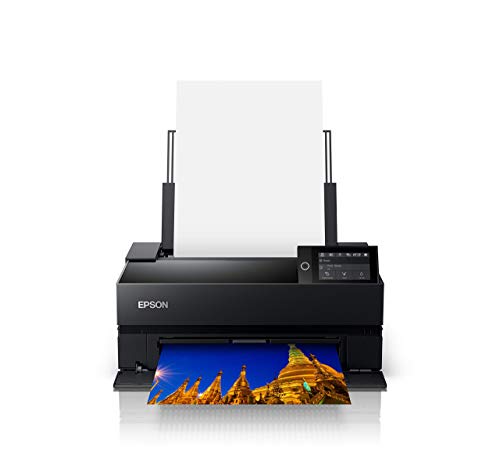
2. Epson SureColor P700 — Best for Fine Art and Professional Output
If you want the kind of output that belongs in a gallery, the Epson SureColor P700 is the printer to consider. It uses the all-new UltraChrome PRO10 ink system with a dedicated Violet channel — that extra color produces a significantly wider color gamut (the range of colors a printer can reproduce) than standard 8-color systems. The result is prints with saturated blues, deep purples, and smooth color transitions that look unmistakably professional. At 13 inches wide, it handles 8×10 prints with room to spare.
One of the most practical improvements on the P700 is the elimination of matte black and photo black ink switching. Older Epson models required you to purge ink when switching between glossy and matte media — a slow, wasteful process. The P700 features dedicated nozzles for both black ink types, so you can switch paper types instantly without any purging. This alone saves you significant time and ink cost if you regularly print on mixed media. The new 10-channel MicroPiezo AMC printhead (Epson's precision piezoelectric drop-placement technology) also delivers exceptional speed and consistency across a print run.
The P700 also ships with Epson's Print Layout software, which gives you full ICC profile (color management standard) support and soft proofing tools — features that matter to photographers who need their on-screen colors to match their prints precisely. This is a serious tool for serious photographers.
Pros:
- UltraChrome PRO10 with Violet ink delivers an industry-leading color gamut
- No matte/photo black switching — dedicated nozzles for both black types
- 10-channel MicroPiezo AMC printhead for speed and accuracy
- Full ICC profile and soft-proofing support for professional color management
Cons:
- Higher upfront cost than consumer-grade photo printers
- Ink cartridges add up quickly if you print in high volume
3. Epson Expression Photo XP-8800 — Best for Fast Everyday Photo Printing
The Epson XP-8800 is the printer for you if you print photos regularly and don't want to wait around. With its 6-color Claria Photo HD ink system, it produces lab-quality borderless prints up to 8.5 by 11 inches — which covers 8×10 with space to trim. What really sets this machine apart in the consumer tier is its speed: a 4×6 borderless photo prints in as fast as 10 seconds. That's faster than most dedicated photo printers in this price range, and it doesn't sacrifice quality to get there.
The 4.3-inch color touchscreen makes operating this printer intuitive even for non-technical users. Epson's Easy Mode simplifies the interface further if you want large icons and fewer steps between you and your print. Beyond photos, the XP-8800 doubles as a full-featured all-in-one with a built-in flatbed scanner and copier — so you're getting real multi-function value here, not just a photo printer with a token scan button.
Wireless connectivity is solid, covering Wi-Fi Direct, standard wireless, and Ethernet options. You can print directly from USB drives or SD cards if you prefer to skip the computer entirely. For families or home users who want excellent everyday photo quality with the flexibility of an all-in-one, the XP-8800 is one of the best-rounded options in 2026.
Pros:
- Prints 4×6 borderless photos in as fast as 10 seconds
- 6-color Claria Photo HD ink for vivid, accurate color reproduction
- Built-in scanner and copier make it a true all-in-one
- 4.3-inch touchscreen with Easy Mode for simple operation
Cons:
- Dye-based inks mean slightly lower archival longevity vs. pigment models
- Ink cartridges can be expensive per page for casual users
4. HP Envy Photo 7855 — Best Budget-Friendly All-in-One
The HP Envy Photo 7855 is the entry point for home users who want acceptable photo quality without spending a lot of money upfront. It handles paper sizes from 3×5 all the way up to 8.5×14 (legal size), which means your 8×10 prints land right in its sweet spot. Alexa voice control integration sets it apart from most printers in this class — you can literally tell your smart speaker to print a document or photo without touching the device.
HP's Instant Ink subscription compatibility is a notable feature here. If you print frequently, enrolling in Instant Ink (HP's ink delivery service) can significantly reduce your per-page cost, since HP monitors your ink levels and ships replacements before you run out. This makes the Envy 7855 more economical in the long run than its sticker price suggests. Wireless connectivity is straightforward, and the setup process is among the easiest of any printer on this list.
You should know going in that the Envy 7855 is not a dedicated professional photo printer. Colors are solid for everyday use, but you won't get the color depth or fine art media flexibility of the Epson or Canon professional models. If you primarily want to print snapshots, school projects, and occasional 8×10 portraits for the home, the 7855 gives you great value. If you're a serious photographer, keep scrolling.
Pros:
- Budget-friendly entry point for home photo printing
- Alexa voice control for hands-free printing
- HP Instant Ink compatible for low ongoing ink costs
- Handles paper from 3×5 up to 8.5×14
Cons:
- Not suitable for fine art or professional-grade prints
- Color gamut is narrower than dedicated photo printers
5. Epson SureColor P900 Bundle — Best for Large-Format Professional Studio Printing
The Epson SureColor P900 is the most powerful desktop photo printer on this list. At 17 inches wide, it's built for large-format output — but it prints 8×10 flawlessly, and it's the choice for photographers and artists who need gallery-ready prints with exceptional tonal accuracy across every job. This bundle includes an Ethernet cable, USB cable, and fiber cloth, so you can get it connected and running immediately without a separate accessories order.
The P900 uses Epson's UltraChrome PRO10 pigment-based ink system — the same advanced formulation found in the P700, but in a larger 17-inch chassis. Pigment inks (suspended solid particles in liquid, rather than dissolved dye) produce prints that are far more resistant to UV fading, humidity, and time. Museum-quality archival prints from the P900 can last well over 100 years when stored properly, according to third-party Wilhelm Imaging Research testing. Dedicated matte black and photo black channels operate simultaneously, so there's no switching or purging when you change paper types.
This is the printer for photographers running a studio, selling prints, or producing editions for clients. The size means it takes up more desk space than the P700 or XP-8800 — factor that in. But if output quality and longevity are your primary requirements, the P900 is the most capable machine on this list. It also works beautifully alongside the kind of professional photo workflow tools discussed in our guide to the best color laser printers for photos when you need to compare inkjet and laser output side by side.
Pros:
- 17-inch format with UltraChrome PRO10 pigment inks for archival quality
- Simultaneous matte and photo black ink channels — no switching delays
- Bundle includes Ethernet cable, USB cable, and fiber cloth
- Exceptional tonal range and color accuracy for fine art and studio use
Cons:
- Larger physical footprint than most home users can accommodate
- Premium price point not suited to casual or occasional printing
6. Canon imagePROGRAF PRO-310 — Best for Studio-Grade Color Accuracy
Canon's imagePROGRAF PRO-310 is a 13-inch professional inkjet printer that uses a 9-color plus Chroma Optimizer pigment ink system to deliver gallery-quality output with exceptional shadow detail and color depth. The Chroma Optimizer is a clear overcoat ink that reduces differential gloss (the uneven sheen visible on some photo prints when viewed at an angle) and gives prints a more consistent, professional finish across both glossy and semi-gloss media. If you've ever printed a dark landscape and noticed bright patches in the blacks, this is exactly what the Chroma Optimizer solves.
Canon's Anti-Clogging System (ACS) is a standout practical feature. Inkjet heads can clog when the printer sits idle — this is one of the most common maintenance headaches with professional photo printers. The ACS actively prevents clogging, reducing the frequency of costly head cleaning cycles and wasted ink. The built-in Skew Correction automatically detects and compensates for paper fed at a slight angle, producing properly aligned prints even if you load paper imperfectly.
The PRO-310's Matte Black ink channel provides enhanced black density and a wider dark-area reproduction range — this matters specifically when printing on matte and fine art papers, where standard black inks can look flat or gray. A 3.0-inch color LCD monitor gives you clear, at-a-glance status information. For professional photographers printing for clients or exhibitions, the PRO-310 is an exceptionally capable and dependable choice in 2026.
Pros:
- 9-color plus Chroma Optimizer for gallery-quality finish and reduced gloss differential
- Anti-Clogging System reduces maintenance cycles and ink waste
- Matte Black ink for superior black density on matte and fine art papers
- Skew Correction for accurate paper alignment
Cons:
- Higher price reflects its professional positioning — overkill for casual home use
- 13-inch footprint is larger than compact consumer models
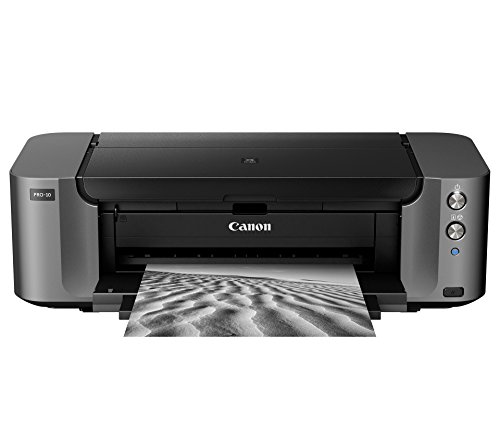
7. Canon PRO-10 — Best for Pigment-Based Color Richness on a Budget
The Canon PRO-10 is an older but still highly capable professional photo printer built around a 10-color pigment ink system paired with Canon's Chroma Optimizer — the same overcoat technology found in the newer PRO-310. The result is dense blacks, wide color gamut, and uniform gloss across both glossy and matte output. For photographers who want true professional pigment quality without paying for the latest hardware, the PRO-10 remains one of the smartest buys available in 2026.
Canon's Optimum Image Generating System (OIGS) is the software intelligence behind the ink selection process. Rather than applying a standard ink formula to every image, OIGS analyzes each image and logically selects the optimal ink combination and placement for that specific print. This is particularly noticeable in complex skin tones and scenes with both very dark and very bright areas, where less sophisticated printers either blow out highlights or lose shadow detail.
The Print Studio Pro plug-in software integrates with Photoshop and Lightroom, giving professional users a streamlined, accurate printing workflow directly from their editing environment. Setup is straightforward and wireless connectivity works reliably across both macOS and Windows. If you've been considering a printer for heat transfer paper projects as well, note that pigment-based printers like the PRO-10 can handle specialty media with excellent results. For the price, the PRO-10 delivers professional pigment output that rivals much newer models.
Pros:
- 10-color pigment ink plus Chroma Optimizer for professional-grade output
- Optimum Image Generating System selects optimal ink per image
- Print Studio Pro integrates directly with Photoshop and Lightroom
- Strong value for professional pigment quality at a lower price point
Cons:
- Older hardware design means fewer modern connectivity features
- Larger and heavier than current-generation alternatives
Buying Guide: How to Choose the Best 8×10 Photo Printer

With seven strong printers reviewed above, picking the right one comes down to four key factors. Work through these before you buy and you'll make a decision you won't regret.
Dye Ink vs. Pigment Ink: Which Is Right for You?
This is the single most important decision you'll make when buying a photo printer. Dye-based inks (used in the Canon Pro-200s and Epson XP-8800) dissolve entirely into liquid and produce vivid, glossy colors with smooth gradients. They're great for everyday family photos, portraits, and prints displayed in frames behind glass. The trade-off is longevity — dye prints typically last 25–50 years under normal display conditions before noticeable fading begins.
Pigment-based inks (used in the Epson P700, P900, Canon PRO-310, and PRO-10) use microscopic solid particles suspended in liquid. They're more resistant to UV light, humidity, and air pollutants — with archival ratings often exceeding 100 years under proper conditions. Pigment prints also look better on matte and fine art papers. The trade-off is that pigment printers cost more upfront. According to the Wikipedia overview of inkjet printing, pigment inks generally outperform dye inks for archival applications. If you're selling prints or producing work for exhibition, pigment is non-negotiable.
Print Size and Media Flexibility
Every printer on this list handles 8×10 without trouble — but the maximum print width varies significantly. The HP Envy 7855 tops out at 8.5 inches wide, the Canon Pro-200s and Epson XP-8800 cap at 8.5 inches, and the pro-tier Epson P700 and Canon PRO-310 max out at 13 inches. The Epson P900 goes to 17 inches. If you ever plan to print panoramas, 11×14 prints, or large format images, buy wider than you need today — you'll regret stepping down later.
Also consider which paper types you plan to use. Consumer printers like the HP 7855 work well with standard glossy photo paper. Professional printers like the P700, P900, PRO-310, and PRO-10 are engineered to handle thick fine art papers, baryta papers, matte media, and canvas. If you print on specialty media, that's a deciding factor right there.
Total Cost of Ownership: Ink and Running Costs
The sticker price of a printer is only the beginning. Ink costs per page vary dramatically across these models, and it's worth doing the math before you commit. As a general rule, the more ink channels a printer has, the higher the replacement cost per full set — but the more color-accurate your output will be. Professional 10-color systems like the Canon PRO-10 have higher ink costs than a 6-color consumer model, but each cartridge lasts longer and produces higher-quality prints, so the per-print economics can still work in your favor at volume.
If you're a casual printer producing a few 8×10s per month, a subscription service like HP Instant Ink (compatible with the Envy 7855) can keep costs very low. If you're printing dozens of prints per week, a professional pigment printer with high-yield cartridges will be more economical than a consumer model running out of ink constantly. Calculate your expected monthly print volume before deciding.
Connectivity and Software Features
All seven printers on this list support wireless printing, which is the baseline expectation in 2026. Beyond that, the differences matter. Professional models like the Epson P700, P900, and Canon PRO-310 support full ICC color profile management and integrate with industry-standard software like Photoshop, Lightroom, and Capture One. If you manage a professional color workflow, these features are essential — not optional.
For home users, features like Alexa voice control (HP Envy 7855), direct SD card printing, and mobile app compatibility are more relevant. Also consider the built-in display: the Epson XP-8800's 4.3-inch touchscreen and the Canon Pro-200s's 3-inch LCD both make day-to-day operation significantly more convenient than navigating through a computer every time you need to check ink or run a maintenance cycle.

What People Ask
What is the best 8×10 photo printer for home use in 2026?
The Canon Pixma Pro-200s and Epson Expression Photo XP-8800 are the two strongest choices for home users in 2026. Both use dye-based ink systems that produce vivid, accurate colors on glossy photo paper. The Pro-200s delivers slightly richer output with its 8-color system, while the XP-8800 edges ahead on speed with borderless 4×6 photos printing in as fast as 10 seconds. Either one gives you lab-quality 8×10 prints from your home office without a professional price tag.
What's the difference between dye ink and pigment ink photo printers?
Dye ink dissolves completely into liquid and produces vivid, glossy colors — ideal for everyday snapshots and photos displayed in frames. Pigment ink uses suspended solid particles that resist UV fading, humidity, and time far better than dye, making it the professional standard for gallery, exhibition, and archival printing. Dye prints typically last 25–50 years; pigment prints can exceed 100 years under proper conditions. If archival longevity matters to you, choose a pigment-based printer like the Epson P700, P900, Canon PRO-310, or Canon PRO-10.
Can I use any photo printer to print 8×10 photos?
Not every printer handles 8×10 comfortably. You need a printer with a maximum paper width of at least 8.5 inches to print 8×10 borderlessly. All seven printers reviewed on this page meet that requirement. Standard office inkjet and laser printers may support 8.5-inch-wide paper but are not optimized for photo output — colors will look flat and detail will suffer compared to a dedicated photo printer. For the best results, always use a printer specifically designed for photographic output paired with premium photo paper.
How much should I spend on an 8×10 photo printer?
It depends entirely on your use case. For casual home printing — family portraits, vacation photos, occasional gifts — you can get excellent results in the $150–$350 range (HP Envy 7855, Epson XP-8800, Canon Pro-200s). For serious enthusiast and semi-professional work, the $600–$900 range covers printers like the Epson SureColor P700 and Canon PRO-310 with pigment ink and professional color management. For studio and gallery-level production, the Epson P900 represents the top-tier desktop option. Don't forget to factor in ongoing ink costs when comparing models.
Is it cheaper to print 8×10 photos at home or at a photo lab?
At a photo lab, a single 8×10 print typically costs $1–$3 depending on the service. At home, once you account for the printer cost, ink, and premium photo paper, your per-print cost usually runs $0.50–$2.00 once the printer is paid off. For small quantities, a photo lab is often more economical. For frequent printers producing dozens of photos per month, home printing becomes more cost-effective quickly — and gives you full control over color accuracy and output quality without waiting for shipping. The break-even point typically hits around 100–200 prints.
What photo paper should I use with an 8×10 photo printer?
For dye-based printers (Canon Pro-200s, Epson XP-8800, HP Envy 7855), use premium glossy or luster photo paper from Canon, Epson, or a third-party brand rated for inkjet printing. For pigment-based professional printers (Epson P700, P900, Canon PRO-310, PRO-10), you can also use fine art matte papers, baryta papers, and canvas in addition to standard glossy media. Always check that the paper's maximum weight and coating type are compatible with your specific printer model — using incompatible paper is the most common cause of poor photo print quality.
Buy on Walmart
- Canon Pixma Pro-200s — Walmart Link
- Epson SureColor P700 13-Inch Printer,Black — Walmart Link
- Epson Expression Photo XP-8800 Wireless Printer with 6-Color — Walmart Link
- HP Envy Photo 7855 All in One Photo Printer with Wireless Pr — Walmart Link
- EPSON SureColor P900 17 Inch Photo Printer (C11CH37201) Bund — Walmart Link
- Canon imagePROGRAF Professional 13" PRO-310 Wireless Inkjet — Walmart Link
- Canon Office Products PRO-10 Wireless Color Professional Ink — Walmart Link
Buy on eBay
- Canon Pixma Pro-200s — eBay Link
- Epson SureColor P700 13-Inch Printer,Black — eBay Link
- Epson Expression Photo XP-8800 Wireless Printer with 6-Color — eBay Link
- HP Envy Photo 7855 All in One Photo Printer with Wireless Pr — eBay Link
- EPSON SureColor P900 17 Inch Photo Printer (C11CH37201) Bund — eBay Link
- Canon imagePROGRAF Professional 13" PRO-310 Wireless Inkjet — eBay Link
- Canon Office Products PRO-10 Wireless Color Professional Ink — eBay Link
Final Thoughts
Choosing the right 8×10 photo printer in 2026 comes down to knowing how you print: if you're a home user printing memories and portraits for display, the Canon Pro-200s or Epson XP-8800 give you outstanding results at an accessible price, while professionals and serious photographers who need archival longevity and gallery-quality output will find everything they need in the Epson P700, P900, Canon PRO-310, or PRO-10. Pick the model that fits your actual workflow, order a pack of premium photo paper alongside it, and start printing the photos that deserve more than sitting on a hard drive — you'll be glad you did.
 |  |  |  |
About Rachel Kim
Rachel Kim spent five years as a merchandise buyer for a national office supply retail chain, evaluating printers, scanners, and printing accessories from Canon, Epson, HP, Brother, Dymo, and Zebra before approving them for store inventory. Her buying process involved hands-on testing against competing models, reviewing long-term reliability data from vendor reports, and vetting price-to-performance claims that manufacturers routinely overstated. That structured evaluation experience translates directly into the kind of buying guidance that cuts through marketing language and focuses on what actually matters for a specific use case. At PrintablePress, she covers printer and printing equipment reviews, buying guides, and head-to-head product comparisons.


Get some FREE Gifts. Or latest free printing books here.
Disable Ad block to reveal all the secret. Once done, hit a button below
| | | |