Reviews ›
Best Printers for College Students 2026
by Rachel Kim · April 04, 2022
Picture this: it's the night before a big paper is due, and the campus library printer has a 20-minute wait. Every college student has been there at least once. Having a reliable printer in the dorm or apartment is one of those investments that pays off fast — no more late-night library runs, no more printing fees, no more stress. But walking into any electronics aisle and staring down a wall of printers can feel overwhelming.
The good news is that the 2026 market has some genuinely impressive options at student-friendly price points. Whether the goal is saving money on ink, printing sharp research papers, or scanning documents for online submissions, there's a printer that fits the bill. This guide cuts through the noise with honest reviews of the top picks, plus a buying guide that explains exactly what to look for. Readers who want a broader look at printer categories can also check out types of printers you should know in 2026 before diving in.

For students living in tight dorm spaces, size and wireless capability are often the deciding factors. For those printing hundreds of pages per semester, ink cost per page matters enormously. This roundup covers all the major use cases — from budget inkjets to efficient laser printers — so every type of student can find the right match. And for those specifically living in residence halls, this guide to the best printers for dorm rooms in 2026 is also worth a read.
Contents
- Best Choices for 2026
- Product Reviews
- Canon PIXMA TR4720 — Best Budget All-in-One
- Epson EcoTank ET-2803 — Best for Low Ink Costs
- Brother HL-L2460DW — Best Laser Printer
- HP LaserJet M110w — Best Ultra-Compact Laser
- Brother MFC-J1010DW — Best Compact Color All-in-One
- HP DeskJet 2755e — Best Entry-Level Pick
- HP OfficeJet Pro 8125e — Best for Heavy Use
- Buying Guide
- Questions Answered
- Final Thoughts
Best Choices for 2026
- #PreviewProductRating
- Bestseller No. 1
 Rating:

- Bestseller No. 2
 Rating:
 - Bestseller No. 3
 Rating:
 - Bestseller No. 4
 Rating:
 - Bestseller No. 5
 Rating:
 - Bestseller No. 6
 Rating:
 - Bestseller No. 7
 Rating:
Product Reviews
1. Canon PIXMA TR4720 All-in-One Wireless Printer — Best Budget All-in-One
The Canon PIXMA TR4720 is one of those printers that just makes sense for college students on a tight budget. It handles printing, copying, scanning, and even faxing — a feature that comes in handy more than expected when dealing with financial aid offices and administrative paperwork. Wireless connectivity means it pairs with laptops and smartphones without needing a USB cable, and mobile printing support lets users send jobs straight from an iPhone or Android device.
Print speeds come in at 8.8 images per minute (ipm) for black-and-white and 4.4 ipm for color, which is perfectly adequate for everyday document printing. The power draw is impressively low at just 7 watts during operation — a nice detail for anyone worried about electricity costs in a dorm. The auto document feeder (ADF) is a standout feature at this price, allowing multi-page documents to be scanned or copied without manually flipping each page. For students regularly dealing with class notes, permission forms, or scanned readings, that saves real time.
Ink cartridge installation and replacement is designed to be simple, even for first-time printer owners. The PIXMA TR4720 uses individual color cartridges, meaning only the depleted color needs replacing rather than a whole combined unit. The trade-off is that ink costs can add up over time, especially for color-heavy prints. For students who print mostly text documents, though, this printer delivers solid value. It's a capable, no-fuss workhorse that earns its place on any college student's desk in 2026.
Pros:
- Wireless and mobile printing included at a budget price
- Auto document feeder handles multi-page scan and copy jobs
- Very low energy consumption (7W active, 0.3W off)
- 4-in-1 functionality including fax
Cons:
- Ink cartridges can get expensive for high-volume printing
- Color print speed (4.4 ipm) is on the slower side
2. Epson EcoTank ET-2803 Wireless Color All-in-One — Best for Low Ink Costs
The Epson EcoTank ET-2803 flips the traditional printer model on its head. Instead of buying tiny, expensive ink cartridges every few months, the ET-2803 uses refillable ink tanks that hold a massive amount of ink. Each bottle set is equivalent to roughly 80 individual cartridges, which means students can print up to 4,500 black pages or 7,500 color pages before needing a refill. For a student who prints lecture slides, readings, and assignments all semester, that's a game-changer.
The upfront cost is higher than a basic cartridge printer, but the math works out quickly. Replacement ink bottles cost a fraction of what traditional cartridges run per page, making the ET-2803 one of the most economical choices over the long term. Epson includes enough ink in the box to last up to two years of typical printing, which means most students won't spend a dollar on ink until well into their second year. The printer also supports wireless connectivity, AirPrint (for Apple devices), and scan and copy functions — everything a college student needs in one compact unit.
Print quality is solid for documents and decent for casual color prints like charts, infographics for class presentations, or photos. It won't compete with a dedicated photo printer, but it doesn't need to. The ET-2803 is built for practical, everyday use with a focus on minimizing the total cost of ownership. For students who hate the feeling of constantly buying ink, this printer removes that frustration almost entirely. The ink tank system also makes it immediately clear how much ink remains, eliminating the guesswork that plagues cartridge-based printers.
Pros:
- Dramatically lower ink costs compared to cartridge printers
- Up to 2 years of ink included in the box
- Wireless and AirPrint support for Apple users
- High page yield (4,500 black / 7,500 color per refill set)
Cons:
- Higher upfront purchase price than budget cartridge models
- Print speed is moderate, not ideal for last-minute large print jobs

3. Brother HL-L2460DW Wireless Compact Monochrome Laser Printer — Best Laser Printer
When it comes to printing papers, reports, and text-heavy documents, nothing beats a laser printer. The Brother HL-L2460DW brings professional laser print quality to a compact, student-friendly form factor. At speeds up to 36 pages per minute, it's one of the fastest printers in this entire roundup — a major advantage during exam season when dozens of pages need to print in a hurry. The output is sharp, clean, and smear-resistant, which is exactly what professors expect on submitted work.
The HL-L2460DW connects via dual-band Wi-Fi (2.4GHz and 5GHz), Ethernet, or USB, giving users flexibility in how they hook it up in a dorm or apartment. Automatic duplex printing (printing on both sides of the page) comes built in, which saves paper and reduces clutter significantly over a semester. The Brother Mobile Connect app allows remote printer management, toner tracking, and print jobs from a smartphone — handy for sending a file to print from across campus. It also works with Alexa for voice-initiated printing, a small but fun feature.
The Refresh Subscription trial included with the printer means toner can be automatically ordered before it runs out. Laser toner generally lasts far longer than inkjet cartridges, and because the HL-L2460DW is monochrome (black and white only), there's only one toner cartridge to ever worry about. For students whose printing is 95% text — essays, lecture notes, readings — this is the most practical and cost-efficient pick in the long run. The only real limitation is the absence of color printing and scanning/copying functions, making it purely a print-focused machine.
Pros:
- Blazing fast 36 ppm print speed — great for large documents
- Automatic duplex printing reduces paper waste
- Dual-band Wi-Fi plus Ethernet connectivity options
- Toner lasts much longer than ink cartridges
Cons:
- Monochrome only — no color printing
- No scan or copy functionality
4. HP LaserJet M110w Wireless Black & White Printer — Best Ultra-Compact Laser
HP calls the LaserJet M110w the world's smallest laser printer in its class, and it earns that title. This is a printer designed for tight spaces — a corner of a desk, a small shelf, a crowded studio apartment — where a full-size printer simply doesn't fit. Despite its minimal footprint, it delivers genuine laser print quality with crisp, professional black-and-white output that holds up against anything the campus library can produce. For a student who needs reliable document printing without dedicating half a desk to the machine, this is a compelling choice.
Print speed tops out at 21 pages per minute, which is respectable for a unit this size. Wireless setup is straightforward, and HP's Smart app makes it easy to manage the printer from a phone. The M110w is positioned as ideal for 1-3 person use, which fits perfectly for a solo student or a small apartment shared by roommates. Because it's from America's most trusted printer brand according to HP's own branding, replacement toner and support resources are widely available.
Like the Brother HL-L2460DW above, this is a black-and-white print-only machine. There's no scanner, no copier, no color. That limits its appeal for students who need an all-in-one solution. But for students who already have scanning handled via a phone app or who primarily need to print text documents quickly, the M110w makes a strong case for itself. Its size alone makes it a unique option in this category, and laser toner economics mean the per-page cost stays low over months of use.
Pros:
- Exceptionally compact — fits almost anywhere
- Laser print quality for sharp, professional documents
- Simple wireless setup with HP Smart app support
- Low per-page cost with laser toner
Cons:
- Black and white printing only — no color
- No scan or copy capability

5. Brother MFC-J1010DW Wireless Color Inkjet All-in-One Printer — Best Compact Color All-in-One
The Brother MFC-J1010DW (Renewed Premium) is built around a simple idea: full functionality without taking over the room. This compact inkjet all-in-one delivers print, scan, copy, and fax capabilities in a form factor small enough for home offices and dorm rooms alike. Color printing, duplex support, and wireless connectivity are all present, making this a genuinely complete solution for a student who needs versatility without sacrificing space.
Print speeds are fast enough for practical use, and the scanner handles both single-page and multi-page documents with ease. Duplex printing (two-sided) helps stretch a ream of paper further — something that matters over a full academic year. The Brother Refresh Subscription and Amazon Dash Replenishment features mean ink can be reordered automatically before running out, removing one more thing from a student's mental to-do list. Mobile printing from phones and tablets works reliably through the Brother app.
Because this is a Renewed Premium unit, buyers are getting a certified refurbished product rather than brand new. Brother's renewed units go through inspection and testing, and they come backed by a warranty, so the quality concern is minimal. The trade-off is essentially a lower price point for a unit that may show minor cosmetic signs of previous use. For budget-conscious students who want all-in-one color capability in a compact package, the MFC-J1010DW delivers real value. It's one of the most well-rounded picks on this entire list for students with varied printing needs.
Pros:
- Full all-in-one: print, scan, copy, and fax
- Compact size suits small desks and dorm rooms
- Auto-ink replenishment via Amazon Dash
- Duplex printing included for paper savings
Cons:
- Renewed (refurbished) unit — not brand new
- Ink costs over time can add up with heavy color printing
6. HP DeskJet 2755e Wireless Color Inkjet Printer — Best Entry-Level Pick
The HP DeskJet 2755e is one of the most widely recognized entry-level printers on the market, and there's a good reason it keeps showing up on student shopping lists. It handles everyday printing needs — forms, assignments, color charts, travel documents — with 1200 DPI (dots per inch) resolution, which delivers noticeably sharper text and images than many printers at this price range. The 60-sheet paper input capacity works fine for typical student use, and it accepts a variety of media types including labels, envelopes, cards, and photo paper.
Wireless connectivity is solid, backed by HP's dual-band Wi-Fi with self-reset technology — meaning if the connection drops, the printer reconnects automatically rather than requiring manual troubleshooting. That reliability detail matters a lot during a busy school week when the last thing anyone wants to debug is a printer connection. USB connectivity is also available for a direct wired connection. The included 6-month Instant Ink trial is a nice bonus, giving students access to HP's ink subscription service at no additional cost for half a year.
The DeskJet 2755e doesn't try to be more than it is. It's a basic, affordable all-in-one with print, scan, and copy functions. Print speeds aren't record-breaking, and the ink costs outside of the Instant Ink subscription can sting for frequent printers. But for students who print occasionally — not every single day — it handles the job well and stays out of the way. Students looking for the most affordable way to have a capable color all-in-one on their desk in 2026 will find the 2755e a reliable starting point. Those who print only occasionally might also find value in exploring the best printers for occasional use for a broader comparison.
Pros:
- 1200 DPI print resolution for sharp output
- Dual-band Wi-Fi with self-reset for reliable connections
- 6-month Instant Ink trial included
- Supports a wide range of media types
Cons:
- Ink cartridge costs outside the subscription can be high per page
- Slower print speeds compared to laser alternatives

7. HP OfficeJet Pro 8125e Wireless All-in-One Color Inkjet Printer — Best for Heavy Use
The HP OfficeJet Pro 8125e is the powerhouse of this lineup — built for students who print a lot. Engineering students printing technical drawings, art students printing color-rich portfolios, or pre-med students cranking through stacks of study materials will appreciate what this machine brings. Print speeds reach 20 ppm for black and 10 ppm for color, making it one of the faster all-in-one inkjet printers available in 2026. The auto document feeder and a 225-sheet input tray mean less time reloading paper and more time getting work done.
One of the standout features is HP AI-powered print formatting. When printing web pages or emails, the AI automatically removes unwanted content — ads, nav bars, irrelevant sidebars — so the printed output is clean and well-formatted without manual editing. Auto two-sided printing comes standard, which saves paper over time. Scan and copy functions are robust, and the color output quality is noticeably better than what most entry-level inkjets produce, making it a real option for printing presentations and color reports.
The OfficeJet Pro 8125e comes with a 3-month Instant Ink trial, which helps offset ink costs at the start. Over the long term, the per-page cost with HP's subscription service is competitive. Without the subscription, cartridge costs for heavy printing can add up. But for a student who genuinely needs a high-performance all-in-one — not just occasional print jobs — the 8125e justifies its higher price tag. It performs closer to a small business machine than a home printer, making it a smart investment for graduate students or anyone expecting to push it hard. Those interested in how this compares to small office setups can also check out the best printers for small businesses for a broader perspective.
Pros:
- Fast color and black printing speeds for an inkjet all-in-one
- HP AI removes unwanted content for cleaner printouts
- 225-sheet paper tray reduces reloading frequency
- Auto duplex printing and auto document feeder included
Cons:
- Higher price point than most student-focused printers
- Ink costs without subscription can be significant for heavy users
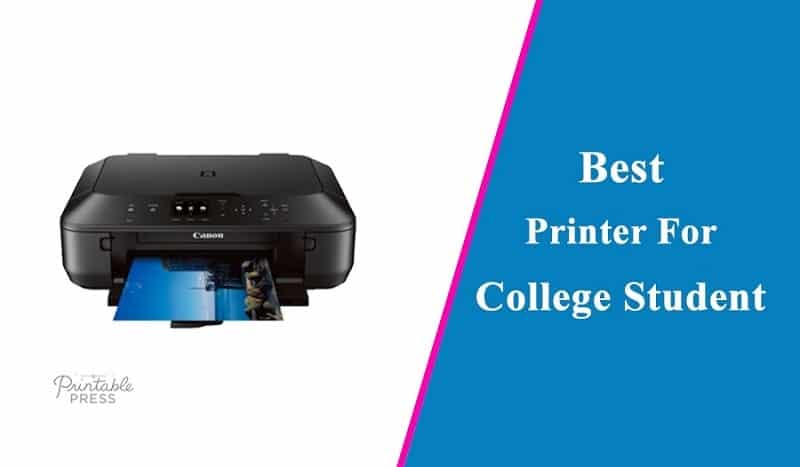
Buying Guide: How to Choose the Best Printer for College Students
With dozens of printers on the market in 2026, knowing what actually matters for a college student's situation helps narrow the field fast. The full printer review category covers even more options, but the criteria below apply universally across every student use case.
Inkjet vs. Laser: Know the Difference
The first decision is whether to go with an inkjet or a laser printer. Inkjet printers use liquid ink and excel at color printing — charts, photos, presentations. They're typically less expensive upfront. Laser printers use dry toner powder and are significantly faster for text documents. Laser toner also costs less per page than inkjet ink over time, making laser printers the smarter long-term choice for students who print mostly text. The trade-off is that laser printers are usually black-and-white only at the student price range, and they skip scanning and copying functions unless the unit is a multifunction model. According to Wikipedia's overview of laser printing, the technology uses an electrostatic process that fuses toner to paper with heat — which is why laser prints are crisp and smear-resistant right out of the machine.
Print Volume and Ink Cost Per Page
How much printing a student actually does determines which cost structure makes sense. Low-volume printers — occasional users printing fewer than 50 pages a month — can get away with a basic inkjet. High-volume students printing hundreds of pages per semester should factor ink cost per page into the buying decision from day one. EcoTank-style printers and laser printers consistently win on per-page cost when printing volume is high. Subscription ink programs from HP (Instant Ink) and Brother (Refresh) also lower the effective cost per page for moderate users. Always calculate the expected annual ink cost before committing to any printer.
Wireless Connectivity and Mobile Printing
Virtually every printer on this list offers wireless connectivity, but the quality of that wireless experience varies. Dual-band Wi-Fi (2.4GHz and 5GHz) offers better range and reliability, especially in densely populated buildings like dorms where the 2.4GHz band gets congested. Mobile printing support — whether through AirPrint (Apple), Mopria (Android), or a manufacturer's dedicated app — is essentially a requirement in 2026. Students who print from their phones and tablets regularly should confirm compatibility before buying. A printer that requires a laptop every time is a frustrating limitation for the way most students actually work today.
Size, Space, and Extra Features
Dorm rooms are small. A printer that dominates a desk or requires its own dedicated surface is a real problem. Compact models like the HP LaserJet M110w and the Brother MFC-J1010DW are specifically designed with space constraints in mind. Beyond size, consider which extra features are actually worth paying for. An auto document feeder (ADF) is genuinely useful for scanning multi-page documents without babysitting the machine. Automatic duplex (two-sided) printing saves paper and is worth having if the printer will see regular use. Fax capability is rarely needed by most students, but some financial aid and administrative offices still request it. Build a requirements list first, then match it to the feature set — paying for features that never get used is just money lost.
Questions Answered

Is a laser printer or inkjet printer better for college students?
It depends on what the student primarily prints. For text-heavy documents like essays, research papers, and lecture notes, laser printers are the better choice — they're faster, produce sharper black-and-white output, and have a lower cost per page over time. For students who regularly print color charts, photos, or presentation materials, a quality inkjet all-in-one makes more practical sense. Many students are best served by a monochrome laser printer for daily document printing, but those who can only own one device will find an inkjet all-in-one covers more use cases.
What is the most affordable printer to run for a college student?
The Epson EcoTank ET-2803 has the lowest long-term ink cost of any inkjet on this list. Its tank-based system delivers thousands of pages per refill set at a fraction of the per-page cost of traditional cartridges. Among laser printers, the Brother HL-L2460DW and HP LaserJet M110w both offer very low toner costs per page. The most affordable printer to run depends on print volume — high-volume users benefit most from laser or EcoTank options, while occasional users may find a basic inkjet with a subscription service more economical.
Do college students really need a printer, or is the campus library enough?
Campus libraries and print centers are useful for occasional jobs, but they come with real drawbacks: wait times, limited hours, per-page fees, and the need to be physically present. Students who regularly print syllabi, study guides, assignments, and forms find that owning a personal printer saves both time and money within one semester. A modestly priced printer pays for itself quickly when compared against cumulative campus printing fees, particularly for students in reading-heavy or writing-intensive programs.
Can a college student use a printer for scanning documents?
Absolutely — and scanning is one of the most underrated reasons to own an all-in-one printer. Students regularly need to scan signed documents, handwritten notes, completed forms, and physical receipts. All-in-one models like the Canon PIXMA TR4720, Epson EcoTank ET-2803, HP DeskJet 2755e, and HP OfficeJet Pro 8125e include flatbed scanners. Models with an auto document feeder (ADF) handle multi-page scans automatically without manually placing each page. For students who frequently deal with administrative paperwork or submit physical documents online, scan capability is a must-have feature.
What print speed should a college student look for?
For most college students, anything between 10 and 20 pages per minute (ppm) for black-and-white documents is more than sufficient. The Brother HL-L2460DW leads this list at 36 ppm, which is genuinely impressive and useful during exam season when large documents need to print fast. Inkjet all-in-ones typically land between 8 and 20 ppm. The practical reality is that a student printing a 10-page paper won't feel a meaningful difference between 10 ppm and 20 ppm, but someone regularly printing 50+ page packets will appreciate the extra speed during busy periods.
Is it worth getting a wireless printer for a dorm room?
Wireless printing is essentially non-negotiable for dorm use in 2026. Running cables across a shared room or between devices is impractical, and the convenience of sending a print job from a laptop or phone without physical connection is enormous. Every printer on this list supports wireless printing. For dorm environments specifically, look for dual-band Wi-Fi support — dorm buildings often have congested wireless networks, and the 5GHz band provides faster, more reliable connections in those conditions. Mobile app support from the manufacturer also makes setup and day-to-day management much easier.
Buy on Walmart
- Canon PIXMA TR4720 All-in-One Wireless Printer, Home Use wit — Walmart Link
- Epson EcoTank ET-2803 Wireless Color All-in-One Cartridge-Fr — Walmart Link
- Brother HL-L2460DW Wireless Compact Monochrome Laser Printer — Walmart Link
- HP LaserJet M110w Wireless Black & White Printer, Print, Fas — Walmart Link
- Brother MFC-J1010DW Wireless Color Inkjet All-in-One Printer — Walmart Link
- HP DeskJet 2755e Wireless Color Inkjet-Printer, Print, scan, — Walmart Link
- HP OfficeJet Pro 8125e Wireless All-in-One Color Inkjet Prin — Walmart Link
Buy on eBay
- Canon PIXMA TR4720 All-in-One Wireless Printer, Home Use wit — eBay Link
- Epson EcoTank ET-2803 Wireless Color All-in-One Cartridge-Fr — eBay Link
- Brother HL-L2460DW Wireless Compact Monochrome Laser Printer — eBay Link
- HP LaserJet M110w Wireless Black & White Printer, Print, Fas — eBay Link
- Brother MFC-J1010DW Wireless Color Inkjet All-in-One Printer — eBay Link
- HP DeskJet 2755e Wireless Color Inkjet-Printer, Print, scan, — eBay Link
- HP OfficeJet Pro 8125e Wireless All-in-One Color Inkjet Prin — eBay Link
Final Thoughts
Finding the right printer as a college student in 2026 comes down to honest self-assessment — how much printing gets done, how tight the budget is, and how much desk space is available. Every printer on this list earns its spot for a different type of student, from the budget-conscious occasional printer to the heavy-use grad student who needs speed and volume. Take stock of the real printing needs, match them against the options above, and pick the one that fits — the right printer will quietly make student life easier, one semester at a time.
 |  |  |  |
About Rachel Kim
Rachel Kim spent five years as a merchandise buyer for a national office supply retail chain, evaluating printers, scanners, and printing accessories from Canon, Epson, HP, Brother, Dymo, and Zebra before approving them for store inventory. Her buying process involved hands-on testing against competing models, reviewing long-term reliability data from vendor reports, and vetting price-to-performance claims that manufacturers routinely overstated. That structured evaluation experience translates directly into the kind of buying guidance that cuts through marketing language and focuses on what actually matters for a specific use case. At PrintablePress, she covers printer and printing equipment reviews, buying guides, and head-to-head product comparisons.


Get some FREE Gifts. Or latest free printing books here.
Disable Ad block to reveal all the secret. Once done, hit a button below
| | | |