PLA vs. PETG: What's the Difference and Which Should You Use?
by Karen Jones · April 03, 2022
More than 60% of desktop FDM users have scrapped a finished PLA print after it deformed, snapped, or failed under conditions they didn't anticipate — and most didn't discover PETG until the damage was already done. If you're sorting out PLA vs PETG for 3D printing, you're asking one of the most consequential questions in the hobby. These two filaments cover the vast majority of desktop FDM use cases, but they're engineered for fundamentally different jobs. Picking the wrong one doesn't just waste a spool — it wastes the hours you spent on design, slicing, and setup. Browse our printer guides for the full ecosystem of materials, machines, and techniques that serious makers rely on.
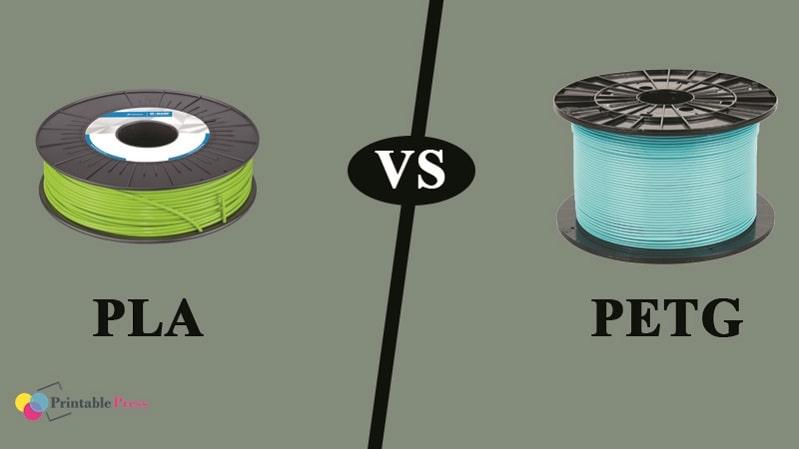
PLA (polylactic acid) is bio-based, derived from plant starches like corn or sugarcane. PETG (polyethylene terephthalate glycol) is a modified engineering plastic — the same family as PET water bottles, tuned for printability with a glycol additive. Both run on virtually any FDM printer. Both are widely available. But their physical properties diverge sharply the moment your part leaves the build plate and enters the real world.
This guide breaks down every relevant difference — heat resistance, mechanical strength, ease of use, post-processing, and long-term durability — so you can make the right call the first time and stop guessing your way through wasted filament.
Contents
- The Chemistry Behind PLA and PETG
- PLA vs PETG for 3D Printing: Core Differences at a Glance
- How to Set Up Your Printer for PLA and PETG
- Pro Tips for Cleaner, Stronger Prints
- Myths About PLA and PETG You Should Stop Believing
- Fast Fixes That Improve Your Results Immediately
- Building Your Filament Strategy for the Long Haul
- Frequently Asked Questions
- Next Steps
The Chemistry Behind PLA and PETG
What PLA Actually Is
PLA is a biodegradable thermoplastic made from fermented plant sugars. It melts at 180–220°C, resists warping on unheated beds, and produces minimal fumes — which is why it's the factory-default filament for most printers. The tradeoff is a glass transition temperature of just 55–60°C, meaning PLA parts left in a hot car, near a heat vent, or in direct summer sun can permanently deform. For decorative prints, cosplay props, and indoor display models, that limitation rarely matters. For anything functional that lives in the real world, it's a genuine failure point. According to Wikipedia's overview of polylactic acid, PLA requires industrial composting infrastructure to biodegrade — it does not break down in standard landfill conditions, a widely repeated misconception.
What PETG Actually Is
PETG is standard PET plastic with glycol added during polymerization. That glycol additive prevents crystallization, making the material less brittle, easier to print, and more optically clear than unmodified PET. The result is a filament with a glass transition temperature around 80°C, exceptional inter-layer adhesion, and solid chemical resistance to oils, mild acids, and cleaning agents. PETG is less rigid than PLA but significantly tougher — it absorbs impact energy instead of fracturing. That combination of toughness, heat tolerance, and printability is why PETG has become the default choice for functional mechanical parts in desktop FDM printing.
PLA vs PETG for 3D Printing: Core Differences at a Glance
Mechanical and Thermal Properties
| Property | PLA | PETG |
|---|---|---|
| Glass transition temp | 55–60°C | 75–80°C |
| Nozzle temp range | 180–220°C | 220–250°C |
| Bed temp | 0–60°C | 70–90°C |
| Tensile strength | ~50 MPa | ~50 MPa |
| Impact resistance | Brittle | Semi-flexible, tough |
| Inter-layer adhesion | Good | Excellent |
| Moisture sensitivity | Moderate | High — must be dried |
| UV resistance | Low | Moderate |
| Post-processing | Excellent — sands, paints easily | Moderate — harder to sand |
| Ease of printing | Very easy | Moderate |
| Biodegradable | Yes (industrial compost) | No |
Print Settings Compared
The numbers tell most of the story, but one detail deserves emphasis: tensile strength is nearly identical on paper, yet PETG produces stronger real-world parts. The reason is layer adhesion. PETG bonds its layers far more completely than PLA, giving printed parts more consistent strength in all directions. PLA is anisotropic — strong along print layers, relatively weak across them. Applying the same comparison logic we use in the laser vs inkjet printer guide, the best material is the one matched to the actual job — not the most popular option on shelves.
How to Set Up Your Printer for PLA and PETG
Setting Up for PLA
PLA is forgiving. Here's a reliable baseline configuration to start from:
- Nozzle temp: 200–210°C for standard PLA. Bump to 215°C for silk or matte variants.
- Bed temp: 50–60°C. An unheated bed works too, but heated improves first-layer consistency.
- Cooling fan: Run at 100% after layer 2. PLA requires aggressive cooling to bridge cleanly and hold fine detail.
- Print speed: 50–80 mm/s as a default. Drop to 40 mm/s for detailed geometry.
- Retraction: 4–6 mm for Bowden setups, 1–3 mm for direct drive.
- Bed surface: PEI sheet, glass with a glue stick, or blue painter's tape all work reliably.
One underrated step: re-level your bed at the start of every new spool. Diameter variation between brands affects first-layer squish even when temperature settings are identical. If you're still evaluating hardware, our top printer reviews cover machines that handle both PLA and PETG well across price points.
Setting Up for PETG
PETG demands more precision but rewards you with significantly better mechanical parts:
- Nozzle temp: 230–245°C. Printing too cool causes poor layer adhesion and chronic stringing.
- Bed temp: 80–90°C. A heated bed is non-negotiable — cold surfaces cause warping and delamination on the first few layers.
- Cooling fan: 30–50% only. Aggressive cooling weakens PETG's inter-layer bonds — the opposite of PLA.
- Print speed: 40–60 mm/s. PETG is viscous and underextrudes when pushed fast.
- Retraction: Less than PLA. Over-retraction causes heat creep. Start at 3 mm Bowden, 0.8 mm direct drive, and tune from there.
- Bed surface: Lightly coat PEI with hairspray or a release agent before printing PETG. Bare PEI and PETG bond so aggressively that parts pull chunks out of the sheet on removal.
Dry your PETG before every print session. PETG is hygroscopic and absorbs ambient moisture within hours of opening. A food dehydrator at 65°C for 4–6 hours is the practical standard fix.
Pro Tips for Cleaner, Stronger Prints
PLA Best Practices
- Use 0.2 mm layer height as your baseline — it balances detail and print time efficiently for the majority of PLA work.
- Orient parts so the primary stress axis aligns with the layer direction (the strong axis), not across it.
- PLA sands, primes, and paints exceptionally well. When aesthetics are the priority, PLA consistently outperforms PETG in finish quality.
- Store opened PLA in sealed bags with silica gel. Moisture absorption produces surface zits and rough texture that settings changes won't fix.
- The same principle of matching material to application applies across fabrication methods — just as choosing the right transfer material drives results in apparel projects, which we cover in depth in our t-shirt transfer paper guide.
PETG Best Practices
- Print a temperature tower before committing any new PETG spool to a real project. Brand-to-brand variation is significant enough to matter.
- Increase perimeter count to 3–4 walls for functional parts. PETG's adhesion means extra perimeters add genuine structural strength, not marginal gains.
- Use gyroid or cubic infill patterns for isotropic strength distribution — especially important in load-bearing PETG components.
- If you're combining 3D-printed parts with other fabricated surfaces or overlays, our guide on printable vinyl for shirts covers layering behavior across different materials — useful for mixed-media projects pairing printed frames with vinyl finishes.
Myths About PLA and PETG You Should Stop Believing
PLA Misconceptions
"PLA is safe for food contact." Printed PLA parts are not food-safe for practical use. FDM layer lines create micro-gaps that trap bacteria and cannot be sterilized. Food-safe use requires a certified food-safe coating applied post-print — the base material alone doesn't qualify.
"PLA is eco-friendly." PLA requires industrial composting infrastructure operating at controlled temperatures to biodegrade. Standard landfill conditions don't provide it. PLA is better than petroleum-based plastics in feedstock terms, but it is not a green-disposal solution you can put in your home compost bin.
"PLA is only for beginners." Professional designers use PLA constantly for prototyping, architectural models, display pieces, and any low-stress application where surface quality and fast iteration matter. Just as understanding your materials separates competent makers from frustrated ones — whether you're printing filament or working through our tracing paper guide for template prep — the right tool is situational, not hierarchical.
PETG Misconceptions
"PETG is difficult to print." PETG is more demanding than PLA — not difficult. A calibrated printer running correct temperatures produces reliable PETG results consistently. The learning curve is a few calibration prints, not a major skill barrier.
"PETG is waterproof." Individual PETG polymer is water-resistant. FDM-printed PETG parts are not waterproof — inter-layer micro-porosity allows slow moisture ingress. Watertight applications require post-processing with an epoxy coating or chemical vapor treatment.
"PETG doesn't warp, so enclosures aren't needed." For most prints, true. For tall, thin PETG geometries, ambient temperature swings mid-print cause layer separation. An enclosure stabilizes the thermal environment and prevents failures that open-air printing can't avoid on demanding geometries.
Fast Fixes That Improve Your Results Immediately
PLA Quick Wins
Each of these changes takes under two minutes and produces a visible improvement:
- Drop nozzle temp by 5°C if you're seeing stringing or blobs — most printer factory profiles run PLA hotter than optimal.
- Push cooling fan to 100% if bridging looks saggy. Aggressive airflow is the fix, not slower print speed.
- Set first-layer width to 120% in your slicer for better bed adhesion without glue or surface prep.
- Enable "ironing" on top surfaces for a glass-smooth finish on display parts — takes more time but eliminates post-sanding entirely.
PETG Quick Wins
- Apply a thin coat of hairspray to your PEI sheet before every PETG print. It creates a clean release layer and eliminates sheet damage on removal.
- Reduce speed 20% from your PLA defaults and tune upward only after you have a clean baseline print.
- Enable "wipe on retract" in your slicer. PETG oozes persistently between moves — wiping at retract points reduces stringing more effectively than retraction distance increases alone.
- Print a single-wall calibration cube after every spool change. Batch-to-batch consistency in PETG is variable enough that a 10-minute QC print prevents a ruined 6-hour main project.
Building Your Filament Strategy for the Long Haul
When PLA Is the Right Permanent Default
If your print output centers on prototypes, display work, decorative items, cosplay props, or craft components, PLA should be your permanent primary material. It's cheaper, prints faster, produces sharper fine detail, and is dramatically easier to post-process than PETG. For a maker running volume output — whether for personal projects or side income — material cost and throughput speed directly affect your output economics. The same math applies whether you're printing filament parts or building a product-based business, as explored in our guide to starting a t-shirt printing business: high-volume workflows demand materials that are fast, predictable, and cheap to iterate with. PLA wins on all three metrics for non-functional applications.
When PETG Should Be Your Standard Material
If your work involves functional parts — brackets, enclosures, mechanical assemblies, jigs, outdoor installations, or anything exposed to heat or sustained mechanical load — PETG should be your default, with PLA reserved for prototyping only. The slight increase in spool cost and setup complexity is immediately recovered in part longevity. Failed prints and reprints are far more expensive than the premium on PETG filament. Build a practical two-spool setup: one PLA for fast iteration and visual review, one PETG for production runs of anything that needs to survive in service. That split workflow is the practical standard for any maker doing serious work. Just as knowing when to reach for different tools distinguishes expert Cricut users from beginners — see our Cricut machine reviews for a parallel breakdown of machine selection logic — your filament choice should be deliberate, not habitual.
Frequently Asked Questions
Can I print PETG on a printer that's only rated for PLA?
Most modern FDM printers can handle PETG. The two requirements are a hot end that sustains 240°C and a heated bed that holds 80°C. Check your printer's spec sheet for both thresholds. If they're met, you can print PETG without hardware modification on the majority of consumer machines.
Which filament is stronger — PLA or PETG?
It depends on the load type. PLA has higher rigidity and compressive strength. PETG has superior impact resistance and inter-layer adhesion, meaning its printed layers bond more completely. For functional mechanical parts, PETG produces more reliable real-world strength because its layer bonding is consistently better across the full geometry of the part.
Does PETG always need to be dried before printing?
Yes. PETG is hygroscopic and absorbs ambient moisture within hours of opening. A wet spool produces audible crackling at the nozzle, bubbling on the surface, rough layer texture, and structurally weak inter-layer bonds. Drying at 65°C for 4–6 hours in a food dehydrator or dedicated filament dryer is the standard fix before any PETG print session.
Which filament is better for outdoor use?
PETG. PLA's 55–60°C glass transition temperature means it deforms on a hot summer day in direct sunlight — a real failure mode, not a theoretical one. PETG's 80°C glass transition, moderate UV resistance, and chemical resistance make it the correct choice for outdoor applications. For extended outdoor exposure in high-UV environments, ASA is a stronger option still.
Can you bond PLA and PETG together in a multi-material print?
Not reliably. PLA and PETG have poor inter-material adhesion — they won't bond at the interface layer. In multi-material setups, this property is actually used intentionally: PETG printed as a support interface layer for PETG parts releases cleanly precisely because of this low adhesion. For structural bonding across materials, use compatible filament pairs with documented adhesion data.
Next Steps
- Run a temperature tower calibration print with your current PLA spool right now. Most factory printer profiles run 5–10°C hotter than optimal, which causes stringing and surface defects you've been blaming on other variables.
- Purchase a 250g sample spool of PETG from a reputable brand — Prusament, Hatchbox, or eSUN are reliable starting points — and dial in settings with a calibration cube before committing it to a real project.
- Set up a proper filament storage system: vacuum-sealed bags with silica gel for PLA, a food dehydrator or dedicated filament dryer running at 65°C for PETG before every print session.
- Audit your current project list and assign each print a filament: decorative, prototype, or indoor display → PLA; functional, outdoor, heat-exposed, or load-bearing → PETG. Do this before you start slicing, not after the first failure.
- If you're combining 3D printing with other fabrication tools in your workflow, explore how complementary equipment extends what you can make — our Cricut machine reviews are a good next read for makers pairing printed parts with cut vinyl, layered transfers, and mixed-media craft projects.
 |  |  |  |

About Karen Jones
Karen Jones spent seven years as an office manager at a mid-sized financial services firm in Atlanta, where she was responsible for a fleet of more than forty inkjet and laser printers spread across three floors, managed ink and toner procurement contracts, and handled first-line troubleshooting for connectivity failures, paper jams, and driver conflicts before escalating to IT. That daily exposure to printers from Canon, Epson, HP, and Brother under real office conditions gave her a practical command of setup, maintenance, and common failure modes that spec sheets never capture. At PrintablePress, she covers printer how-to guides, setup and troubleshooting tips, and practical advice for home and office printer users.


Get some FREE Gifts. Or latest free printing books here.
Disable Ad block to reveal all the secret. Once done, hit a button below
| | | |