How to Use Tracing Paper
by Karen Jones · April 03, 2022
Ever wondered how artists and crafters transfer intricate designs onto fabric, canvas, or wood with pinpoint accuracy — without a lightbox, a projector, or any expensive equipment? The answer has been sitting in art supply stores for centuries. Knowing how to use tracing paper correctly gives you a fast, reliable method to copy patterns, transfer designs, and refine sketches for everything from screen printing to embroidery to detailed illustration work. It's one of the most versatile — and underrated — tools in any crafter's kit. For more printing and crafting resources, browse our printer guides collection.
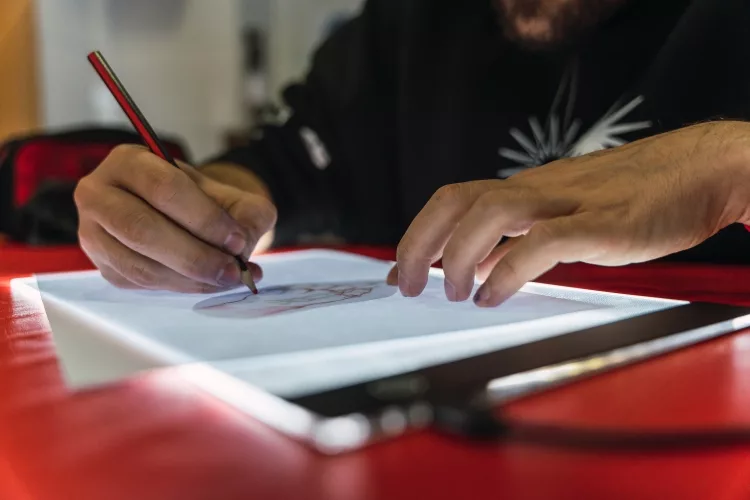
Tracing paper works by being thin and semi-transparent — thin enough that light passes through and you can see the image underneath, but sturdy enough to hold pencil and ink marks cleanly. You place it over your source design, trace the lines, then lift and transfer your copy wherever you need it. Simple in theory. But there's a right way and a wrong way, and most beginners skip the steps that make the real difference.
This guide covers everything: what tracing paper actually is, the different types and their costs, real-world use cases across art and crafts, a clear step-by-step walkthrough, and the most common mistakes that ruin otherwise great work. By the end, you'll have everything you need to trace with confidence on your very first try.
Contents
Understanding Tracing Paper: What It Is and How It Works
Tracing paper is a thin, semi-transparent paper produced by heavily processing wood pulp until the fibers become tightly compacted. According to Wikipedia, this manufacturing process removes air pockets from the paper structure, creating translucency without any coating or chemical treatment — just densely pressed fibers that let light pass through.
That translucency is what makes it useful. But understanding why it works the way it does helps you choose the right type and get better results every time.
How Tracing Paper Works
The process is straightforward. When you place tracing paper over a design:
- Light passes through the paper clearly enough to reveal the image below
- You trace the lines directly onto the tracing paper surface
- Your traced copy lifts cleanly away from the original
- You transfer that copy to your destination surface using graphite, carbon paper, or direct pressure
The tracing paper acts as a neutral middle layer — it captures your design without marking the original and lets you place that design exactly where you need it. Whether you're working from a hand-drawn sketch or a printed reference image, the mechanic is identical.
Types of Tracing Paper
Not all tracing paper is the same. Here's what you'll find at most art and craft stores:
- Lightweight / Onion skin (40–55 gsm): Very thin, excellent for layering multiple design iterations on top of each other. Tears easily under heavy erasing.
- Medium-weight (60–75 gsm): The most common choice for everyday craft and illustration work. Balances transparency with enough durability for corrections.
- Heavyweight (80–90 gsm): Holds up to repeated erasing and reworking. Slightly less transparent, but far more forgiving during detailed projects.
- Vellum (90+ gsm): A premium surface — smooth, slightly glossy, and very durable. Favored by architects, fashion designers, and professional illustrators. Comes at a higher price point but worth it for precision work.
Tracing Paper Types and What They Cost
You don't need to spend much. Tracing paper is one of the most affordable supplies in any crafter's toolkit, and a single pad will last you through dozens of projects. Here's a realistic breakdown of what to expect at retail.
Cost Breakdown by Type
| Type | Weight (gsm) | Typical Price | Best For |
|---|---|---|---|
| Lightweight / Onion Skin | 40–55 gsm | $3–$6 per pad | Layering, thumbnails, quick sketches |
| Medium-weight | 60–75 gsm | $5–$10 per pad | Everyday craft, illustration, pattern transfer |
| Heavyweight | 80–90 gsm | $8–$14 per pad | Detailed work, repeated erasing, technical drawings |
| Vellum | 90+ gsm | $10–$20 per pad | Architecture, fashion design, professional illustration |
| Large-format roll | Varies | $10–$25 per roll | Sewing patterns, oversized designs, murals |
Where to Buy Tracing Paper
Tracing paper is widely available. You can find it at:
- Art supply stores: Blick Art Materials, Michaels, Hobby Lobby — the widest selection of weights, sizes, and specialty pads
- Office supply stores: Staples and Office Depot carry standard medium-weight rolls and small pads
- Online retailers: Amazon and Etsy for specialty formats like gridded tracing paper, large-format rolls, or bulk packs
- Big-box stores: Walmart and Target carry basic craft pads in the art supply aisle at the lowest price points
For most projects, a $5–$10 medium-weight pad is all you need to get started. Buy one type, learn the technique, and upgrade based on what your specific work demands.
Where Tracing Paper Really Shines
Tracing paper shows up across a surprisingly wide range of creative disciplines. Here's where it earns its place in each one.
Art and Design
Artists reach for tracing paper constantly. The everyday use cases include:
- Copying reference photos: Trace a photo to capture proportions accurately before drawing freehand on your final surface
- Iterating designs: Layer multiple sheets to compare variations without redrawing your base design from scratch each time
- Transferring to final surfaces: Move a polished sketch to watercolor paper, illustration board, or canvas cleanly and precisely
- Building repeat patterns: Trace a single motif, flip and rotate it, and build a symmetrical or tessellated design efficiently
- Calligraphy and lettering: Trace letter guides and practice sheets to build muscle memory before working on final pieces
Crafts and Fabric Printing
In fabric and mixed-media craft work, tracing paper bridges the gap between a printed or digital design and a physical surface. You'll use it to:
- Transfer embroidery patterns onto fabric without leaving permanent marks on the material
- Lay out vinyl cutting designs before committing — this pairs especially well with a Cricut vinyl cutting machine for precise, repeatable cuts
- Trace appliqué shapes for quilting and garment construction without cutting up original pattern sheets
- Copy sewing patterns from books or magazines so your originals stay intact for future use
For fabric transfer projects, tracing paper works well as a preparation step before moving to iron-on transfer paper for the final application. Trace your design first, refine the lines, then use the transfer paper to press it onto fabric permanently.
Screen Printing and Heat Press Work
Screen printers use tracing paper during the design preparation stage. Before burning a screen or cutting a stencil, tracing the design gives you a clean, scalable outline to refine before committing to the expensive parts of the process. It's a low-cost way to proof placement, scale, and proportions.
If you're working on T-shirt and apparel projects, check out our full guide on how to use T-shirt transfer paper for the next step in that workflow. And if you're using stamps or stencils cut from traced designs, see our guide on how to properly use rubber stamps for a complete overview of that process from trace to stamp.
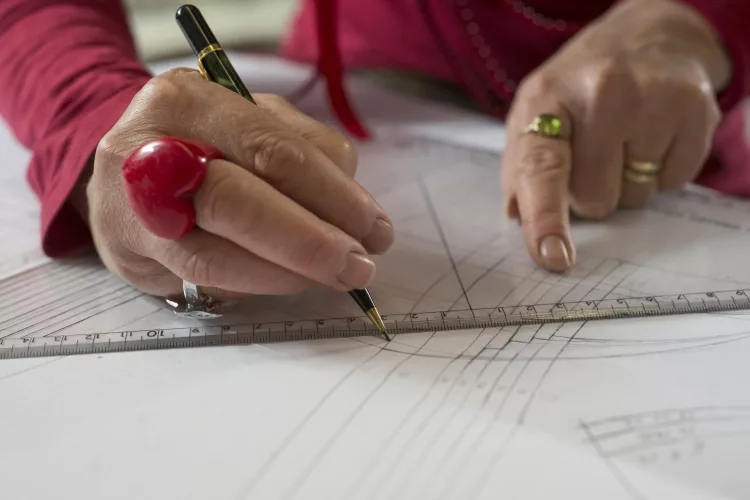
How to Use Tracing Paper: Step-by-Step
Here's the complete process from initial setup to finished transfer. Follow each step in order — skipping ahead is the most common reason tracings come out crooked or misaligned.
What You'll Need
- Tracing paper — medium-weight (60–75 gsm) recommended for beginners
- Your original image or design (printed, drawn, or from a book)
- A sharp pencil — HB or 2B gives clean, precise lines
- A fine-liner pen or ballpoint for inking permanent copies
- Masking tape or small binder clips to secure layers
- Graphite transfer paper (optional) — for transferring onto fabric, wood, or canvas
- A smooth, hard, flat work surface — a desk or cutting mat works well
- A soft eraser for cleanup
The Step-by-Step Process
- Secure your original image. Tape it flat on your work surface. Any movement during tracing distorts the copy. Use two or three strips of masking tape along the edges.
- Place tracing paper on top. Align it over the design so the area you need to trace is fully covered. Tape the top edge of the tracing paper down so it can't shift sideways.
- Trace the main outlines first. Use a sharp pencil to follow all the key contour lines. Work from the top of the image downward so your hand never rests on completed sections.
- Add details second. Once the main outlines are done, go back and fill in fine details, internal lines, texture marks, or any shading reference points you'll need later.
- Ink over your pencil lines if needed. For a permanent, durable copy, trace over your pencil lines with a fine-liner or ballpoint pen. Work carefully and let the ink dry fully before moving to the next step.
- Erase pencil marks. Once the ink is completely dry, use a soft eraser to remove remaining pencil lines without smearing the ink.
- Transfer to your destination surface. Flip the tracing paper face-down onto the surface where you want the design. Rub the back evenly with a soft pencil to coat it with graphite. Flip it right-side up, secure it with tape, and retrace the lines firmly with a ballpoint pen. The graphite underneath transfers cleanly to the surface below.
Pro tip: If you skip taping in Step 1, even a tiny shift in the tracing paper will misalign your entire design — one strip of masking tape prevents the most frustrating mistake beginners make.
Transfer Methods for Different Surfaces
The basic graphite rub-back method works great for paper. Other surfaces need a slightly different approach:
- Paper to paper: Graphite rub-back method — coat the back with pencil, retrace the front
- Paper to fabric: Use dressmaker's carbon paper (a specialized transfer paper) placed between the tracing paper and fabric. Trace firmly with a ballpoint pen.
- Paper to wood or canvas: Use a dedicated graphite transfer sheet between layers, or coat the entire back of the tracing paper with soft pencil before pressing.
- Digital source to physical surface: Print your design on regular paper, trace it onto tracing paper, then transfer using any of the methods above. Our guide on how to print picture designs on a shirt covers the printing side of this workflow in detail.
- Mirror-image transfers: For heat press and transfer paper applications that flip during pressing, you need a mirrored source image. Our guide on how to reverse print in Word shows you how to flip digital designs before printing them as source images for tracing.
Common Mistakes to Avoid When Using Tracing Paper
Most tracing paper failures come from a handful of predictable, preventable errors. Here's what goes wrong — and exactly how to stop it from happening to you.
The Most Common Errors
- Using a dull pencil. A dull tip creates wide, imprecise lines that make fine details muddy and unusable. Always use a freshly sharpened pencil when you sit down to trace.
- Pressing too hard. Heavy pressure tears thin tracing paper and leaves grooves in the original image below. Use light, controlled strokes — you can always go over a line a second time.
- Not securing the layers. Without tape or clips holding both layers flat, your paper will shift mid-trace. This is the single most common cause of a distorted, off-register final copy.
- Picking the wrong paper weight. Lightweight paper tears under heavy erasing. If your project involves corrections and reworking, start with medium or heavyweight tracing paper from the beginning.
- Forgetting to account for mirroring. For heat press transfers, screen printing positives, and any application where the design flips, you must trace a mirrored version of the source image. Plan this before you start.
- Touching wet ink. Tracing paper's smooth surface holds ink wet far longer than regular paper. Always let ink dry for at least 60 seconds — ideally longer — before touching, erasing, or moving the sheet.
- Rushing the graphite transfer step. If you rub the back too lightly or retrace the front too gently, the design won't transfer cleanly. Apply firm, even pressure when retracing over the coated back.
Warning: Never slide a ruler or your palm across a freshly inked line on tracing paper — the surface holds ink wet much longer than regular paper, and a single accidental swipe will smear the entire line.
Choosing the Right Paper for the Job
Mismatching paper weight to project type causes most of the problems listed above. Here's a quick decision guide:
- Quick sketches, thumbnails, design layering: Lightweight (40–55 gsm) — cheap, transparent, perfect for disposable iterations
- Everyday craft and illustration transfers: Medium-weight (60–75 gsm) — the reliable all-rounder for most projects
- Detailed work requiring corrections: Heavyweight (80–90 gsm) — holds up to repeated erasing without tearing
- Professional or technical work: Vellum (90+ gsm) — best precision and surface quality, worth the extra cost for important projects
Getting the weight right from the start prevents most mid-project failures. When in doubt, buy medium-weight — it handles the widest range of tasks without tearing or losing transparency.
For other paper-handling situations you might encounter in your printing workflow, our guide on how to load paper in a printer covers paper types, weights, and how printers handle them.
Frequently Asked Questions
Can you use tracing paper in a printer?
Standard tracing paper is not printer-compatible — it's too thin and slick for most inkjet and laser printer paper paths, and ink won't adhere properly to the surface. If you need to print onto a translucent medium, use vellum paper that is specifically labeled as printer-safe, or use regular paper as your source image and trace from it manually.
What is the difference between tracing paper and vellum?
Both are translucent, but vellum is heavier, smoother, and more durable than standard tracing paper. Vellum (90+ gsm) handles repeated erasing and reworking without tearing, has a slightly glossy finish, and holds ink more crisply. Standard tracing paper is lighter, cheaper, and better suited for quick-use applications like sketching and layering.
Can you trace with a regular pen?
Yes, but use a fine-liner or ballpoint pen rather than a felt-tip marker. Felt-tip markers bleed on the smooth surface of tracing paper and spread far wider than the actual tip. Ballpoint pens give you controlled, precise lines. Always let the ink dry fully before touching it — tracing paper holds ink wet longer than regular paper.
How do you transfer a tracing paper design onto fabric?
Place a sheet of dressmaker's carbon paper (transfer paper for fabric) face-down on the fabric. Lay your traced design on top, right-side up, and secure both layers with pins or tape. Trace firmly over your lines with a ballpoint pen. The carbon paper deposits a colored line on the fabric that you can embroider or cut along. The marks are typically water-soluble and wash out after the project is done.
Does tracing paper work with markers and colored pencils?
Colored pencils work well on tracing paper — the surface accepts them cleanly and layering colors is easy. Alcohol-based markers bleed through thin tracing paper almost immediately and will mark whatever is underneath. Water-based markers are safer but still tend to spread. For color work on tracing paper, colored pencils or fine-liner pens give you the most control.
How many times can you reuse a sheet of tracing paper?
That depends on how you use it. A clean tracing — pencil only, no heavy pressure, no erasing — can be reused several times for reference or repeated transfers. Once you start erasing heavily or applying graphite to the back for transfers, the paper surface degrades and lines become less precise. For important projects, use a fresh sheet each time to get the cleanest result.
Key Takeaways
- Choose medium-weight tracing paper (60–75 gsm) for most projects — it balances transparency with enough durability for corrections and reworking.
- Always secure both the original image and the tracing paper with tape before you start — one shift mid-project will misalign your entire design.
- Match your transfer method to your surface: graphite rub-back for paper, dressmaker's carbon paper for fabric, and a dedicated graphite sheet for wood or canvas.
- Let ink dry completely before touching or erasing — tracing paper's smooth surface holds ink wet far longer than regular paper, and one swipe smears the whole line.
 |  |  |  |

About Karen Jones
Karen Jones spent seven years as an office manager at a mid-sized financial services firm in Atlanta, where she was responsible for a fleet of more than forty inkjet and laser printers spread across three floors, managed ink and toner procurement contracts, and handled first-line troubleshooting for connectivity failures, paper jams, and driver conflicts before escalating to IT. That daily exposure to printers from Canon, Epson, HP, and Brother under real office conditions gave her a practical command of setup, maintenance, and common failure modes that spec sheets never capture. At PrintablePress, she covers printer how-to guides, setup and troubleshooting tips, and practical advice for home and office printer users.


Get some FREE Gifts. Or latest free printing books here.
Disable Ad block to reveal all the secret. Once done, hit a button below
| | | |