Reviews ›
Best Iron On Heat Transfer Paper for T-Shirts: Reviews, Buying Guide & FAQs 2026
by Rachel Kim · April 04, 2022
Which iron-on heat transfer paper will actually give you sharp, lasting results — and which ones will leave you with cracked, faded designs after just a few washes? That question matters every time you sit down at your printer with a custom design and a blank t-shirt. After testing and researching the top options available in 2026, the Koala Iron on Heat Transfer Paper stands out as the best all-around pick for home crafters who want professional-looking results without a steep learning curve.
Iron-on heat transfer paper has come a long way. Whether you're personalizing team uniforms, launching a small apparel brand, or crafting one-of-a-kind gifts, the right paper makes the difference between a design that pops and one that peels. The market splits into two main categories: paper for light or white fabrics, and paper engineered specifically for dark fabrics. Picking the wrong type is the most common mistake beginners make. If you're still figuring out your overall setup, our T-Shirt Printing Materials Checklist for Beginners is a great place to get your bearings before you buy.
In this guide, you'll find detailed reviews of seven top-rated products, a practical buying guide covering what actually matters when you're comparing options, and answers to the most common questions beginners and experienced crafters alike ask. Read on — your next great custom shirt starts here.

Contents
Our Top Picks for 2026
- #PreviewProductRating
- Bestseller No. 1
 Rating:

- Bestseller No. 2
 Rating:
 - Bestseller No. 3
 Rating:
- Bestseller No. 4
 Rating:
 - Bestseller No. 5
 Rating:
 - Bestseller No. 6
 Rating:
 - Bestseller No. 7
 Rating:
Full Product Breakdowns
1. Epson Iron-on Cool Peel Transfer — Best for Epson Inkjet Users
Epson built this transfer paper specifically to complement their own inkjet printers, and that close alignment shows in the output quality. The coating interacts exceptionally well with Epson inks, delivering colors that look saturated and true to screen — a common pain point with generic transfer papers that tend to shift colors unpredictably. Each sheet measures the standard 8.5 x 11 inches, making it a natural fit for home office setups without any extra trimming or sizing workarounds.
The defining feature here is the cool peel mechanism. After you press, you let the transfer cool completely before peeling — and when you do, it comes off cleanly without pulling fibers or leaving sticky residue behind. This cool-peel process significantly reduces the risk of ruined transfers compared to hot-peel papers that require quick, confident removal right off the iron. For beginners still getting the hang of the timing, that extra margin for error is genuinely valuable. The finished result is soft to the touch and works on a wide range of light-colored fabrics including canvas bags and cotton-blend garments beyond just standard t-shirts.
The 10-sheet count does make this one of the smaller packs in the lineup, so if you're running a high-volume project, you'll need multiple packs. But for occasional personal use or small batches, it's an ideal entry point — especially if you already own an Epson printer and want paper that's engineered to match it precisely.
Pros:
- Optimized for Epson inkjet printers for reliable color accuracy
- Cool-peel design reduces transfer errors and rookie mistakes
- Works on t-shirts, canvas bags, and other light-colored fabrics
Cons:
- Only 10 sheets per pack — pricier per sheet for larger projects
- Limited to light and white fabrics only
2. Avery T-Shirt Transfers Light (8938, 18 Sheets) — Best Value for Light Fabrics
Avery has been a trusted name in printable media for decades, and this 18-sheet pack of light-fabric transfer paper delivers exactly what that reputation promises. Designed specifically for white and light-colored 100% cotton or cotton/polyester blend fabrics, it uses Avery's proprietary Color Shield formula — a coating technology that guards against fading, cracking, and peeling through repeated wash cycles. If durability after laundering is your top concern, this is one of the most reliably long-lasting options in the light-fabric category.
The compatibility range is broad. These sheets work with all standard inkjet printers, so you're not locked into a single brand. The 8.5 x 11 format is ready for printing without any special setup — load the sheet, print your mirrored design, and press. The Color Shield formula bonds with fabric fibers rather than just sitting on top, which is why the finished transfer feels soft and moves naturally with the fabric instead of feeling like a plastic film. You can machine wash finished garments, and the design remains stretchable — critical if you're decorating fitted or athletic-style shirts.
Beyond t-shirts, this paper works well on aprons, pillowcases, tote bags, hats, face masks, and tank tops. The 18-sheet count gives you enough material to run a small batch of custom items without constantly reordering. For group events, team projects, or small business sample runs, this pack offers solid value per sheet compared to 10-sheet alternatives.
Pros:
- Color Shield formula delivers fade-resistant, wash-durable results
- Compatible with all inkjet printers
- 18-sheet count offers better value for multi-piece projects
- Finished transfers are soft, stretchable, and machine washable
Cons:
- Only suitable for light or white fabrics — not dark garments
- Requires precise temperature and pressure for best adhesion
3. Avery Dark & Light Bundle (3279 + 8938) — Best for Mixed-Fabric Projects
If you're working with a mix of dark and light shirts — say, a set of custom team uniforms in multiple colorways — buying separate packs for each fabric type gets expensive and complicated fast. This Avery bundle solves that problem neatly by pairing the 5-sheet dark fabric pack (model 3279) with the 18-sheet light fabric pack (model 8938) in one purchase. You get everything you need to cover both fabric types without juggling multiple orders.
The dark fabric transfers in the 3279 pack use a white backing layer that makes printed colors pop on black, navy, charcoal, and other deep-colored garments. Without that opaque base, inkjet ink is nearly transparent on dark fabric — a problem that dooms most light-fabric papers when used on the wrong garment. Avery's Color Shield technology extends to both products in this bundle, meaning you get the same 20-plus-wash durability guarantee across your entire project regardless of fabric color. That consistency is worth a lot when you're producing items that need to hold up through regular use and laundering.
The main trade-off is sheet count on the dark side — five sheets is enough for sampling and small runs, but high-volume crafters will need to supplement. Still, as a starter kit or a way to test both categories before committing to bulk orders, this bundle offers outstanding flexibility and represents genuine savings over buying both packs individually. Check out our guide on Sublimation vs Heat Transfer if you're still deciding which decorating method fits your workflow best.
Pros:
- Covers both dark and light fabrics in a single purchase
- Color Shield formula ensures 20+ wash durability on both paper types
- Great for mixed-color apparel projects or sampling both methods
Cons:
- Dark fabric pack only includes 5 sheets — limits high-volume dark-fabric use
- Requires mirroring images for light fabric transfers specifically
4. Koala Iron on Heat Transfer Paper (25 Sheets, Light Fabric) — Best Overall Pick
Koala earns the top spot in 2026 by hitting the sweet spot between sheet count, print quality, and ease of use. The 25-sheet pack gives you enough material to run a meaningful production batch — whether that's a set of custom shirts for a family reunion, a run of branded totes for a local event, or ongoing craft projects throughout the season. Print quality is consistently professional, with crisp edges and accurate color reproduction that doesn't require any special printer settings beyond printing on the correct side of the sheet.
The transfer process is straightforward. You print your design (mirrored for text-containing graphics), position it on your white or light-colored cotton or cotton-blend fabric, and apply heat. While a heat press delivers the most consistent results at the recommended 347–360°F for 25–30 seconds, Koala's paper transfers reliably with a standard household iron when you apply firm, even pressure. The finished surface is soft, stretchable, skin-friendly, and machine washable — qualities that matter every bit as much as the initial transfer quality. A design that cracks after two washes isn't a design worth wearing.
One important note: Koala specifically recommends pigment ink for best results. Dye-based inks are compatible but can yield slightly less vibrant results on some printers. If you're unsure which ink your printer uses, check your printer manual or the manufacturer's website — it's a five-minute check that can meaningfully impact your output. For a deeper look at how your printer choice affects results, see our guide on the Best Printer for Heat Transfer Paper.
Pros:
- 25-sheet count is ideal for batch projects and ongoing use
- Works with a standard home iron — no heat press required
- Soft, stretchable, skin-friendly finish after transfer
- Professional print quality with sharp edges
Cons:
- Light fabrics only — not suitable for dark or black garments
- Pigment ink recommended for best color vibrancy
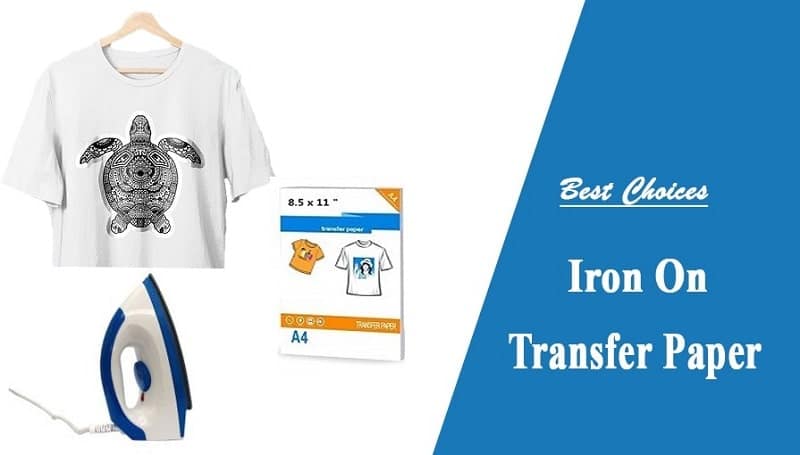
5. PPD Inkjet Iron-on for Dark Fabric (20 Sheets) — Best Dark-Fabric Value Pack
PPD has built a global reputation for reliable dark-fabric transfers at a price point that makes sense for schools, crafting clubs, and hobbyists who need more than a handful of sheets. The 20-sheet pack hits that middle-ground perfectly — enough for a solid batch of dark garments without the commitment of buying bulk. PPD's transfer technology maintains excellent opacity on cotton and cotton-rich blends, which means your design shows up bold and vivid even on black or navy backgrounds where lesser papers produce muddy, washed-out output.
What sets PPD apart from the competition in the dark-fabric segment is the inclusion of a free alignment tool with the pack. Accurate placement is one of the hardest parts of iron-on transfers for beginners, and having a physical alignment guide dramatically reduces crooked or off-center designs. Clear instructions are also included, making this a genuinely beginner-friendly option despite being a dark-fabric product — a category that's typically less forgiving of technique errors than light-fabric transfers. Wash durability is solid, and the opacity layer holds its ground through multiple laundering cycles without significant cracking or peeling.
For educational settings in particular, this pack makes a lot of sense. The combination of generous sheet count, included tools, clear instructions, and forgiving application process makes it well-suited for classroom craft sessions, student projects, and after-school programs where skill levels vary widely and you need consistent results across multiple users.
Pros:
- Includes a free alignment tool — reduces placement errors significantly
- Strong opacity on dark and black fabrics
- 20-sheet count is ideal for group or multi-item projects
- Beginner-friendly with clear printed instructions
Cons:
- Background carrier layer must be trimmed close to design edges
- Not recommended for polyester-heavy fabric blends
6. TransOurDream Dark 3.0 Transfer Paper (10 Sheets) — Best Dual Printer Compatibility
Most dark-fabric transfer papers are built exclusively for inkjet printers. TransOurDream's Dark 3.0 formula breaks that mold by delivering verified compatibility with both inkjet and laser printers — including popular models from HP, Brother, and OKI. That dual compatibility is a meaningful advantage if your setup includes a laser printer or if you're working in an office or school environment where laser is the default. The print output is vivid and vibrant on both printer types, with the opaque base layer doing its job of making colors pop on dark and black garments.
The upgrade to the Dark 3.0 formula brings improved flexibility and wash performance over earlier versions. Machine washing with cold water in full cycle mode is supported, though tumble drying is not recommended — a trade-off worth knowing before you commit. Each pack includes a reusable Teflon sheet, which protects both your iron and your garment during the pressing process and helps distribute heat evenly for cleaner transfers. Teflon sheets are often sold separately, so having one included adds real value to the package.
The application process is straightforward: print, cut close to your design edges, position on fabric, apply heat using an iron, easy press, or heat press machine, and peel. Cutting close matters with dark-fabric papers because the white carrier layer will show anywhere you don't trim. If you're decorating garments for Mother's Day, Father's Day, birthdays, or seasonal events, the TransOurDream Dark 3.0 delivers the versatility and print quality to make each piece look intentional and professional.
Pros:
- Compatible with both inkjet and laser printers — rare at this price
- Includes reusable Teflon sheet for even heat distribution
- Vivid color output on dark and black fabrics
- Dark 3.0 formula improves flexibility and wash durability over earlier versions
Cons:
- Only 10 sheets per pack — insufficient for large batches
- No tumble drying — cold wash only for longevity
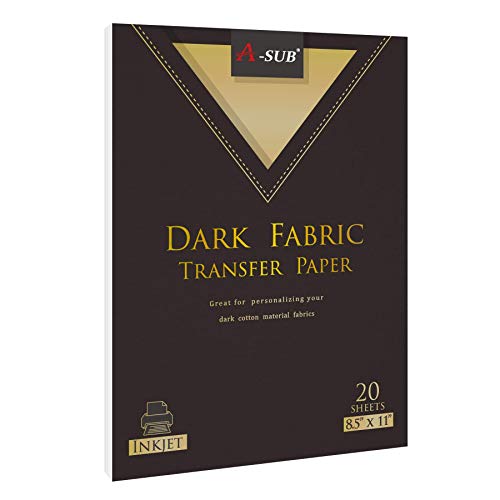
7. A-SUB Inkjet Iron On for Dark Fabrics (20 Sheets) — Best for High-Output Crafters
A-SUB has quickly become a go-to brand for crafters who need consistent dark-fabric results at volume. The 20-sheet pack is priced competitively for what you get — quality transfer coating, reliable opacity on dark garments, and compatibility with standard inkjet printers using either dye or pigment ink. Images, text, and complex graphics all translate cleanly from printer to fabric, with edge definition that holds up under close inspection. If you're producing custom t-shirts, pillow cases, aprons, or tote bags for a side hustle or small operation, A-SUB delivers the throughput you need.
The recommended heat press settings — 347–365°F for 20–25 seconds at heavy pressure — are precise, and following them closely is the single most important factor in getting a durable, well-bonded transfer. A-SUB includes both a manual with instructions and a silicone sheet to protect your pressing surface, and they provide a detailed tutorial video directly on the product page for visual learners. That level of documentation matters when you're trying to replicate results consistently across a production run rather than just one experimental shirt. You can also use a household iron with this paper, though a heat press produces more even results across larger designs.
For crafters serious about building a repeatable process — whether that's for personal projects or a small custom apparel business — A-SUB pairs well with a dedicated pressing setup. If you're comparing pressing options, our guide on Types of Heat Press Machines covers the full range from clamshell to swing-away and will help you match equipment to your workflow. The A-SUB paper is ready to meet you at whatever level you're working at. You can also explore other decoration methods in our product review section if heat transfer isn't the only technique you're considering.
Pros:
- 20-sheet pack supports production-level output
- Works with dye and pigment inkjet inks
- Includes silicone sheet and detailed tutorial documentation
- Strong results on t-shirts, pillow cases, aprons, and tote bags
Cons:
- Best results require a heat press — home iron results are less consistent
- Inkjet only — not compatible with laser printers
Buying Guide: How to Choose the Best Iron On Heat Transfer Paper
Light vs. Dark Fabric Paper
This is the single most important decision you'll make before buying, and getting it wrong wastes both paper and garments. Light-fabric transfer papers are designed for white and light-colored garments and rely on the fabric's own color as a base — which means they're essentially invisible on dark backgrounds. Dark-fabric papers include an opaque white layer that sits between the ink and the fabric, allowing your printed colors to show up correctly regardless of how dark the garment is.
The trade-off with dark-fabric papers is that you must trim your design close to its edges, because that white carrier layer is visible wherever it isn't covered by ink. On light fabrics, you have more flexibility with trimming because the transfer is essentially clear outside the printed area. Never use light-fabric paper on dark garments — the results will be nearly invisible and definitely disappointing. Check your fabric color first, every time.
It's also worth noting how iron-on heat transfer differs from other methods like heat transfer vinyl or sublimation. If you're curious about those comparisons, Sublimation Paper vs Transfer Paper breaks down the key differences clearly. The iron-on transfer process has been around for decades, but modern coatings have dramatically improved both print quality and longevity.
Printer Compatibility
Most heat transfer papers on the market are designed for inkjet printers. A small number — like the TransOurDream Dark 3.0 — also support laser printers. Before you buy, confirm your printer type and check the product specifications. Using inkjet transfer paper in a laser printer can damage the printer's fuser unit, and laser paper in an inkjet printer will produce poor results. Within the inkjet category, some papers recommend pigment ink over dye ink for better color vibrancy and wash durability — this is particularly relevant for the Koala paper reviewed above. If your printer uses dye ink, most papers will still work, but manage your expectations on long-term color intensity.
Heat Source: Iron vs. Heat Press
Every paper reviewed here works with a standard household iron, but a heat press delivers more consistent, professional results — especially for larger designs that require even pressure and temperature across the full surface. An iron's heat distribution is uneven by design, with cooler spots near the edges and hotter spots in the center. Those inconsistencies translate directly into transfer quality variations across your design.
If you're making occasional one-off pieces, a good iron gets the job done. If you're producing batches or building a small business, a heat press pays for itself quickly in reduced waste and more consistent output. Recommended heat press temperatures for most papers in this guide fall between 347°F and 365°F at heavy pressure for 20–30 seconds. Always follow the manufacturer's specific settings over these general guidelines.
Wash Durability and Long-Term Performance
Print quality on day one is easy to achieve. Keeping that quality intact through repeated washing is where transfer papers actually differentiate themselves. Look for papers that specify machine washability and give a wash count — Avery's Color Shield formula, for example, guarantees quality through 20 or more washes. Papers with no wash durability claims are a red flag.
Cold water washing and air drying extend the life of any iron-on transfer significantly. Tumble drying on high heat is the fastest way to degrade both the adhesion and color quality of a heat transfer. If garments need to survive hard use and frequent laundering — team uniforms, work aprons, children's clothing — prioritize papers with documented wash durability and build garment care instructions into your process from the start.
Frequently Asked Questions
Can I use iron-on transfer paper with any inkjet printer?
Most iron-on transfer papers are compatible with standard inkjet printers, but you should always verify compatibility on the product packaging before printing. Some papers specify dye ink only, others recommend or require pigment ink for best results. Laser printer users need to look specifically for laser-compatible dark-fabric papers — the TransOurDream Dark 3.0 is one of the few options in this guide that explicitly supports both technologies. When in doubt, run a test print on plain paper first to check color accuracy before committing a transfer sheet.
Do I need to mirror my image before printing?
Yes — for light-fabric transfer paper, you must mirror (flip horizontally) your design before printing. When you iron it face-down onto the fabric and peel, the image flips back to the correct orientation. If you skip this step, any text or asymmetric graphics will appear backward on the finished garment. Dark-fabric transfer papers work differently: you print the design as-is (right-reading) because these papers are applied face-up rather than face-down. Always read the instructions for your specific paper to confirm the correct orientation.
What fabrics work best with heat transfer paper?
100% cotton and cotton/polyester blends produce the best results with iron-on heat transfer paper. Cotton fibers absorb heat evenly and allow the adhesive layer to bond firmly. High-polyester blends and synthetic fabrics like nylon are problematic — they can melt or scorch at transfer temperatures, and the adhesion is often weaker. If you're working with a fabric blend, aim for at least 50% cotton for reliable results. Fabrics with texture or a raised weave (like terry cloth or heavily ribbed knits) don't transfer as cleanly because the uneven surface prevents full contact with the paper during pressing.
How do I make my iron-on transfers last longer?
Wash your garments inside-out in cold water, use a gentle detergent, and air dry instead of tumble drying. Avoid ironing directly over the transfer — if the garment needs ironing, turn it inside out and press from the reverse side. Initial adhesion matters too: if your transfer didn't bond completely during application, it will fail faster in the wash. Use firm, even pressure during the pressing stage and make sure your entire design area reaches the target temperature. Following the manufacturer's recommended settings precisely is the most reliable way to maximize transfer longevity from day one.
What's the difference between light and dark fabric transfer paper?
Light-fabric transfer paper is essentially transparent outside the printed areas, making it invisible on white or light garments but useless on dark ones. Dark-fabric transfer paper includes an opaque white base layer that makes colors visible on black, navy, and other dark garments — but requires trimming close to design edges because that white layer shows wherever it's not covered by ink. You cannot substitute one for the other. Choosing the wrong type based on your garment color is the most common and most avoidable mistake in the heat transfer process.
Is a heat press necessary, or can I use a regular iron?
A regular household iron works, but a heat press delivers noticeably more consistent results — especially for designs larger than a few inches. Irons have uneven heat distribution and don't maintain constant pressure across the full design area. For occasional personal projects, a good iron with firm, even pressure produces acceptable results. For batch production or anything requiring professional quality, a heat press eliminates the variability that causes partial adhesion, uneven color, and early peeling. Set your iron to the highest cotton setting and use firm, overlapping strokes with no steam for best iron-based results.
Buy on Walmart
- Epson Iron-on Cool Peel Transfer (8.5x11 Inches, 10 Sheets) — Walmart Link
- Avery® T-Shirt Transfers, Light, 8938, Pack Of 18 — Walmart Link
- Avery Iron-On Inkjet Transfer Paper for Dark Fabrics, 5 Pape — Walmart Link
- Koala Iron on Heat Transfer Paper for White and Light Color — Walmart Link
- PPD 20 Sheets 8.5x11" - Inkjet Iron-on Heat Transfer Paper f — Walmart Link
- TransOurDream Iron on Heat Transfer Paper for Dark T Shirts — Walmart Link
- A-SUB Inkjet Printable Iron On Heat Transfer Paper for Dark — Walmart Link
Buy on eBay
- Epson Iron-on Cool Peel Transfer (8.5x11 Inches, 10 Sheets) — eBay Link
- Avery® T-Shirt Transfers, Light, 8938, Pack Of 18 — eBay Link
- Avery Iron-On Inkjet Transfer Paper for Dark Fabrics, 5 Pape — eBay Link
- Koala Iron on Heat Transfer Paper for White and Light Color — eBay Link
- PPD 20 Sheets 8.5x11" - Inkjet Iron-on Heat Transfer Paper f — eBay Link
- TransOurDream Iron on Heat Transfer Paper for Dark T Shirts — eBay Link
- A-SUB Inkjet Printable Iron On Heat Transfer Paper for Dark — eBay Link
Key Takeaways
- The Koala Iron on Heat Transfer Paper is the best overall pick in 2026 — 25 sheets, professional print quality, and home-iron compatibility make it the most practical choice for light-fabric crafters at any skill level.
- Always match your paper to your fabric color — light-fabric paper is invisible on dark garments, and using the wrong type produces unusable results every time.
- The TransOurDream Dark 3.0 is the only paper in this lineup that works with both inkjet and laser printers, making it the go-to choice for offices and schools with laser setups.
- A heat press consistently outperforms a household iron for durability and transfer quality, especially on larger designs or production batches — if you're serious about custom apparel, the investment pays off fast.
 |  |  |  |
About Rachel Kim
Rachel Kim spent five years as a merchandise buyer for a national office supply retail chain, evaluating printers, scanners, and printing accessories from Canon, Epson, HP, Brother, Dymo, and Zebra before approving them for store inventory. Her buying process involved hands-on testing against competing models, reviewing long-term reliability data from vendor reports, and vetting price-to-performance claims that manufacturers routinely overstated. That structured evaluation experience translates directly into the kind of buying guidance that cuts through marketing language and focuses on what actually matters for a specific use case. At PrintablePress, she covers printer and printing equipment reviews, buying guides, and head-to-head product comparisons.


Get some FREE Gifts. Or latest free printing books here.
Disable Ad block to reveal all the secret. Once done, hit a button below
| | | |