How to Use Iron on Transfer Paper
by Anthony Clark · April 02, 2022
The first shirt I tried to customize came out with half the design peeling off before the day was done. I had pressed hard with the iron, assumed that was enough, and called it done. Learning how to use iron on transfer paper correctly changed everything — and if you've had a similar frustrating experience, this guide will walk you through every step so it doesn't happen again. For a solid foundation on printing your designs before you transfer them, our guide on how to print on transfer paper for a T-shirt is worth reading first.
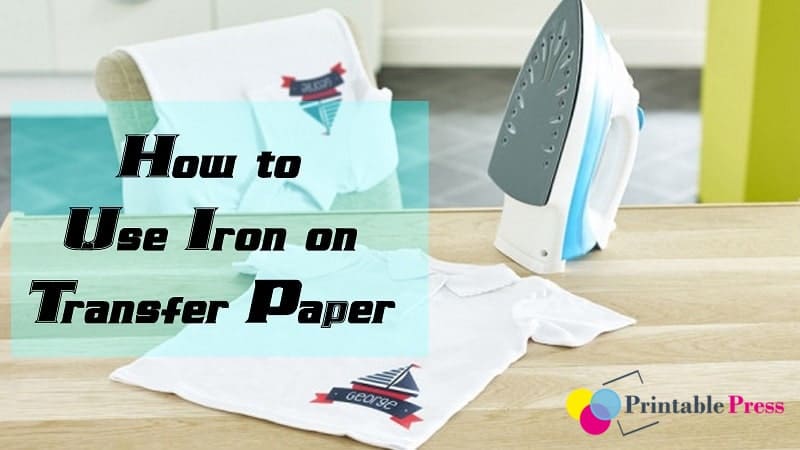
Iron on transfer paper is one of the most accessible ways to put a custom design on fabric. No heat press required, no screen printing setup, no special equipment beyond a home iron and an inkjet or laser printer. When you do it right, the results look clean, vibrant, and durable. When you get even one step wrong, the design cracks, peels, or washes out in the first cycle.
This guide covers the full process — from paper selection through final wash care — along with the most common failure points. Whether you're making a one-off custom tee or exploring whether starting a T-shirt printing business is right for you, mastering this process is where it all begins.
Contents
How to Use Iron on Transfer Paper Step by Step
The process looks simple on paper, but each step has variables that directly affect your final result. Follow this sequence every time — skipping even one step is usually what causes problems.
Step 1: Choose the Right Transfer Paper
Not all iron on transfer paper is the same. The two main categories are light fabric paper and dark fabric paper, and using the wrong one is the fastest way to ruin a project.
| Paper Type | Best For | Peel Method | Trim Required | Printer Compatibility |
|---|---|---|---|---|
| Light Transfer Paper | White and light-colored fabrics | Hot peel (most brands) | No — transparent background | Inkjet or laser (check label) |
| Dark Transfer Paper | Dark and black fabrics | Cold peel (most brands) | Yes — opaque backing shows | Inkjet or laser (check label) |
| Inkjet-Specific | Light or dark depending on brand | Varies by product | Varies | Inkjet only |
| Laser-Specific | Light or dark depending on brand | Varies by product | Varies | Laser only |
Light transfer paper is essentially transparent — the fabric color shows through any unprinted areas, which is exactly what you want on white or light shirts. Dark transfer paper has an opaque white base layer so your colors stay true even on black fabric, but you must trim around the design before pressing or the white backing will be visible on the shirt. Using inkjet paper in a laser printer (or the reverse) causes smearing, poor adhesion, and can damage your printer. If you're not sure which type of printer you own, our top printer reviews break down the key differences between inkjet and laser clearly.
Step 2: Design, Mirror, and Print
Before you print, you must mirror (flip horizontally) your design. This applies to light transfer paper every single time — without it, text and directional images will appear backwards on your fabric.
Always mirror your design before printing on light transfer paper. Dark paper doesn't always require mirroring due to its face-up application method, but check your brand's instructions — requirements vary by product.
To mirror in Microsoft Word or most design software, look for a "flip horizontal" option in your rotate or format menu. Our guide on how to reverse print in Word walks through the exact steps. Print at the highest quality setting your printer offers, and let the ink dry for at least 2 to 5 minutes before handling the paper.
Step 3: Cut Your Design
For light paper, a simple rectangle cut around your design is fine — the background is transparent. For dark paper, trim as close to the design edges as possible with sharp scissors or a craft knife. Any opaque backing left outside your design will be visible on the fabric, and it looks unprofessional.
Step 4: Prepare Your Fabric and Iron
Wash and dry your fabric before applying any transfer. Fresh fabric off the shelf often contains sizing agents or finishing compounds that prevent proper adhesion. Pre-washing removes those. Then iron out every wrinkle — a flat, smooth surface is non-negotiable for even adhesion.
Set your iron to the temperature your paper packaging specifies. Most brands recommend a high cotton setting, around 350–375°F (177–190°C). Turn off the steam completely. Steam introduces moisture that disrupts the heat bond and leads to patchy transfers.
Step 5: Press the Transfer
Place your fabric on a hard, flat surface. A wooden cutting board works significantly better than a padded ironing board — padding absorbs pressure downward and reduces the force reaching your fabric. Position your transfer face-down on the fabric. Apply firm, steady pressure with your iron using circular or overlapping strokes across the entire design. Press for the time your paper specifies — typically 30 to 60 seconds for a home iron. Lift and reposition to cover edges you might have missed.
Step 6: Peel and Finish
Peel while hot for most light transfer papers, or let it cool for dark transfer papers — check your brand instructions here because the timing matters and differs between products. Peel slowly, pulling the backing sheet at a low angle, almost parallel to the fabric surface. If part of the design starts to lift with the backing, press it down and reapply heat before continuing.

When Your Transfer Peels or Fades
Even when you follow the steps carefully, transfers sometimes fail. Here are the most common problems and exactly how to address them.
The Edges Are Peeling
Edge peeling almost always means the transfer didn't receive enough heat or pressure at the perimeter. Re-press the problem areas for an additional 10–15 seconds, focusing specifically on the edges. If edge peeling is a recurring issue across multiple projects, you're likely using a surface that's too soft — switch to a firm wooden board or a hard table with a single layer of cotton fabric on top.
Colors Look Faded or Washed Out
Faded colors right after printing usually point to low print quality settings or incompatible paper and printer types. Set your printer quality to "Best" or "High" before printing. If colors remain pale, check your ink cartridge levels.
Colors fading after washing is a separate issue — it's an adhesion problem. The transfer bond wasn't strong enough during pressing. Make sure your iron temperature is correct, your pressing time is sufficient, and you're using a hard surface underneath. Then protect your work by following the right wash protocol:
- Always wash inside-out
- Use cold water only
- Avoid high-heat drying — air dry when possible
- Skip fabric softener, which degrades the transfer coating
Wash iron on transfer garments inside-out in cold water and skip the dryer whenever you can. High dryer heat degrades the adhesive faster than almost anything else and will cut your transfer's lifespan in half.
The Design Transferred Backwards
You forgot to mirror. It happens to everyone at least once. Unfortunately, once a transfer is pressed, it can't be reversed cleanly. Our guide on removing a print or transfer from a shirt covers your options, but success isn't guaranteed. The real fix is building the mirror step into your workflow before every single print job — make it automatic.
What You Can Actually Make With Iron on Transfer Paper
Transfer paper isn't just for T-shirts, though that's where most people start. Once you understand how to use iron on transfer paper well, the range of projects expands considerably.
Apparel and Wearables
T-shirts are the obvious starting point, but iron on transfers work on any heat-tolerant fabric surface, including:
- Tote bags and canvas pouches
- Denim jackets and jeans
- Hoodies and sweatshirts (cotton-heavy blends work best)
- Aprons and chef coats
- Cotton hats — flat panels only, curved areas don't press evenly
If you're comparing transfer paper to other customization methods, our breakdown of the best printable vinyl for shirts covers where vinyl wins over paper and vice versa — they aren't interchangeable for every project. According to Wikipedia's overview of heat transfer vinyl, both methods rely on heat activation but differ significantly in texture, durability, and the type of design they handle best.
Home Décor and Accessories
Cotton pillowcases, canvas bags, fabric storage bins, and quilting panels all accept iron on transfers well. The consistent rule is that the material needs to tolerate heat — synthetic fabrics like polyester, nylon, and acrylic are problematic and often produce weak adhesion or scorching at the required temperatures.
If you're thinking about turning this skill into income, our guide on how to start a heat transfer business covers the business side in detail, including whether a home iron or a heat press setup makes more sense for the volume you're targeting.
Getting Professional Results Every Time
The gap between a transfer that looks homemade and one that looks professionally done comes down to consistent habits — not expensive equipment.
Always Test Before Your Final Run
Before applying any transfer to your best fabric, test on a scrap piece of the same material. This tells you if your iron temperature is correct, how long you need to press, and how the backing peels for that specific paper brand. A two-minute test can save an entire batch of shirts.
Use the Right Heat and Pressure for the Fabric
Cotton tolerates high heat and gives you the most forgiving results. Blends require lower temperatures to protect the synthetic fibers. Go too hot on a polyester blend and you'll scorch the fabric before the transfer bonds properly. Always check your fabric content label before you set your iron temperature, and err on the side of a slightly longer press time at the correct temperature rather than higher heat.
Store Unused Transfer Paper Correctly
Transfer paper degrades when stored improperly. Keep unused sheets flat, sealed in the original packaging, away from humidity and direct sunlight. Curled or moisture-damaged paper won't press evenly — you'll get patchy adhesion and lifted edges no matter how carefully you press. This is especially true for dark transfer paper with its thicker coating.
Mistakes That Ruin Transfers (And How to Skip Them)
These are the errors that show up most often, and every single one of them is preventable.
Printing on the Wrong Side of the Paper
Transfer paper has a printable coated side and a plain backing side. Printing on the wrong side means your ink won't transfer at all — or it'll stick to the iron instead of the fabric. The coated side usually feels slightly smoother or shinier than the backing. When in doubt, run your fingernail lightly across both sides — the print side has a noticeably different texture. Our detailed walkthrough on how to print picture designs on a shirt covers the setup process in more detail.
Moving the Iron in Long Straight Lines
Long, straight strokes concentrate pressure in the center and miss the edges. Use firm circular or overlapping patterns, lifting and repositioning the iron to cover every part of the design evenly. Think of it less like ironing a shirt and more like applying consistent heat to every square inch of the design area.
Peeling Too Fast or Too Slow
Peel timing affects both the final texture and how well the design adheres. Peeling too fast while the transfer is still very hot can stretch the design. Waiting too long on a cold-peel paper causes the backing to bond more firmly and can tear the design when you pull. Follow the instructions for your specific paper brand — they've tested the timing for their formulation.
Ignoring the Fabric Content Label
Cotton transfers beautifully. Polyester blends require lower heat and may still have weaker adhesion. 100% polyester and nylon are generally poor candidates for home iron on transfers. If your fabric isn't suitable for the method, switch the method — not the temperature. If you're working with heat-sensitive fabrics at any volume, exploring heat press options gives you much more precise temperature and pressure control than a household iron ever will.
Frequently Asked Questions
Can you use iron on transfer paper with a laser printer?
Yes, but only if you use laser-compatible transfer paper. Most transfer paper sold in craft stores is inkjet-only. Using inkjet paper in a laser printer can damage the printer's fuser unit and produce unusable results. Always check the packaging for printer compatibility before you buy the paper.
How many washes does iron on transfer paper last?
With proper care — cold water, inside-out washing, low-heat drying — a well-pressed iron on transfer typically lasts 20 to 40 washes. Washing in hot water, using a hot dryer, or skipping the inside-out step will reduce that number significantly. Dark transfer paper tends to show wear faster than light paper due to its thicker coating.
Do you need to mirror the design for dark transfer paper?
It depends on the brand. Some dark transfer papers require mirroring because the design is applied face-down; others are applied face-up and don't require it. Always read the instructions for your specific paper before printing. When genuinely unsure, mirror the design — it's the safer default.
Can iron on transfer paper be used on polyester fabric?
It's possible but not ideal. Polyester requires lower iron temperatures to avoid scorching, which can result in weaker adhesion. 100% polyester is particularly difficult to work with. If you must use polyester, test on a scrap piece first, use medium heat, and accept that the transfer may not last as many washes as it would on 100% cotton.
Get the temperature right, mirror your design, press with firm and even pressure, peel at the right moment — nail those four steps every time and iron on transfer paper will almost never let you down.
 |  |  |  |

About Anthony Clark
Anthony Clark spent nine years running a custom printing studio in Phoenix, Arizona, producing sublimation-printed drinkware, heat-pressed apparel, and branded merchandise for sports leagues, small businesses, and online retailers. That hands-on production background means he has calibrated hundreds of heat press cycles, sourced sublimation blanks from over a dozen suppliers, and troubleshot every coating and color-shift problem that shows up when dye meets polyester. He left the shop floor in 2019 to write full-time about the techniques and equipment he used daily. At PrintablePress, he covers sublimation printing and heat press methods.


Get some FREE Gifts. Or latest free printing books here.
Disable Ad block to reveal all the secret. Once done, hit a button below
| | | |