Screen Printing vs Sublimation: Key Differences, Pros & Cons
by Anthony Clark · April 03, 2022
The core screen printing vs sublimation differences come down to three things: how color bonds to fabric, what materials each method works on, and how the economics scale. Screen printing pushes ink through a mesh stencil directly onto a fabric's surface. Sublimation converts dye into gas under heat and pressure, bonding it permanently into polyester fibers. Neither is universally better — the right choice depends on fabric type, order volume, and design complexity. For a broader look at pressing options, the guide on screen printing vs heat press covers how these methods compare to transfer printing as well.
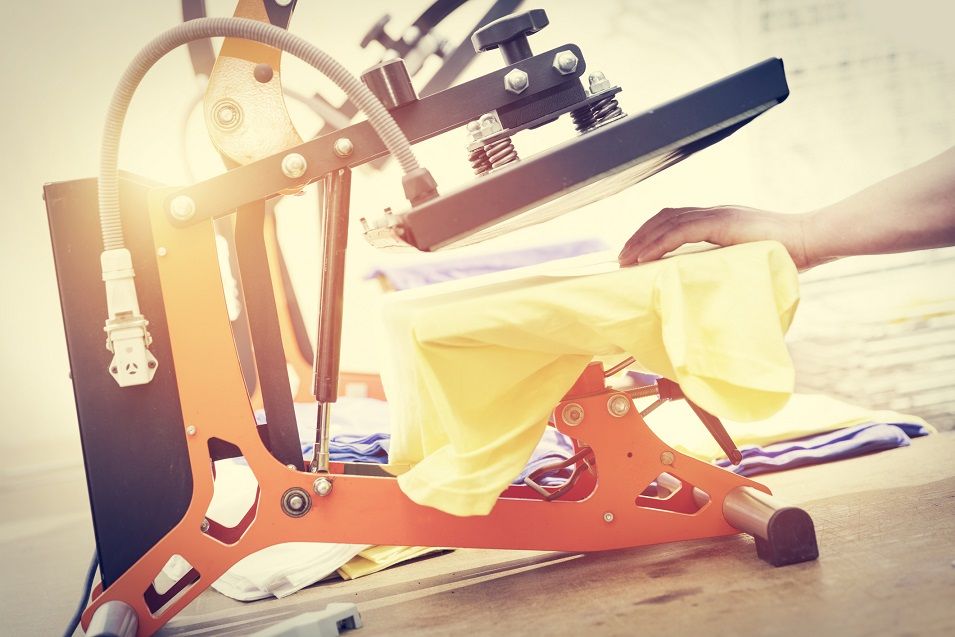
Both methods deliver professional, vibrant results through fundamentally different processes. Screen printing has been a garment decoration staple for decades — reliable, high-opacity on dark fabrics, and economical at larger quantities. Sublimation is the go-to for photographic detail and seamless all-over prints, particularly on performance wear and synthetic substrates.
For hobbyists setting up a home studio or small business owners looking to scale, knowing exactly where each method excels — and where it fails — saves time, money, and material waste. This guide breaks down both processes side by side across cost, care, and practical application.
Contents
How Each Method Works
Screen Printing Fundamentals
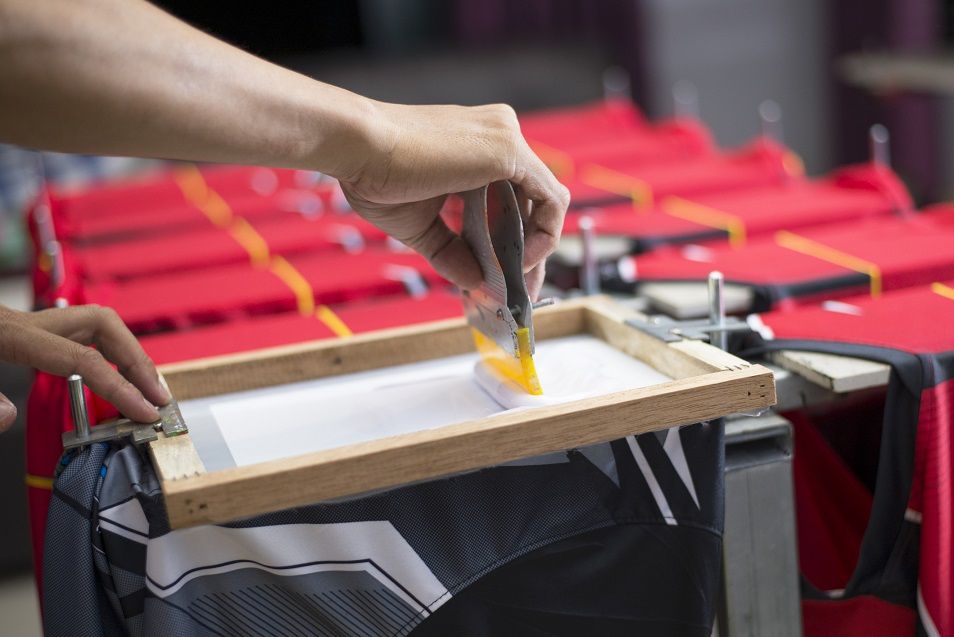
Screen printing — sometimes called silk screening — is a stencil-based process where ink is pressed through a fine mesh screen onto the substrate below. Each color in a design requires its own separate screen, which is why setup time and cost scale with the number of colors used. Once screens are produced, printing is fast and consistent, making the method highly efficient for large runs of identical items.
- Ink sits on top of the fabric rather than bonding with the fibers
- Works on virtually any fabric color, including black and other dark tones
- Produces thick, tactile prints with a noticeable raised texture
- Best suited for designs with solid, clearly defined color areas
- Specialty inks — metallic, glow-in-the-dark, puff, discharge — are available
The process typically involves coating a screen with photosensitive emulsion, exposing it to UV light through a film positive, washing out the unexposed areas to create the stencil, then pulling ink across the screen with a squeegee. It's a hands-on craft with a meaningful learning curve, but the results are durable and cost-effective once screen production costs are absorbed by volume.
How Sublimation Works
Sublimation printing uses heat and pressure to convert specially formulated dye from a solid directly into a gas, which then permeates the polyester fibers of the substrate and re-solidifies within them. Because the dye becomes part of the fabric rather than sitting on top, sublimated prints are exceptionally soft, resistant to cracking or peeling, and maintain full color fidelity even after many washes. Mastering how to use sublimation paper is one of the first practical skills in the process — the paper acts as the intermediary carrier between the printed design and the substrate.
- Requires a polyester-content substrate (minimum 65%, ideally 100%)
- Only effective on white or very light-colored base materials
- Produces photographic-quality, edge-to-edge prints with no surface texture
- No screen setup — each print is unique with no additional cost per color
- Effective on non-apparel substrates: mugs, phone cases, tiles, mousepads
The standard workflow involves printing a mirror image of the design onto sublimation transfer paper with a dye-sub printer, then pressing the paper face-down onto the substrate at roughly 380–400°F for 45–60 seconds. Heat opens the polyester fibers, the gasified dye fills them, and cooling locks the color in permanently. For anyone interested in expanding beyond garments, the guide on printing on ceramic cups with sublimation illustrates how versatile the process is across rigid, coated substrates.
Screen Printing vs Sublimation Differences at a Glance
Putting the screen printing vs sublimation differences side by side makes the trade-offs immediately clear. The table below covers the most important practical distinctions across substrate compatibility, economics, and output quality.
| Factor | Screen Printing | Sublimation |
|---|---|---|
| Ink bonding | Sits on top of fabric surface | Bonds into polyester fibers |
| Best fabric | Cotton, most fabric types | Polyester (65–100%) |
| Fabric color | Any color, including dark | White or very light only |
| Design complexity | Best for simple, bold designs | Handles photos and gradients |
| Minimum order | Higher minimums (typically 12+) | Works for single prints |
| Setup cost | Higher — screen production required | Lower — digital file to press |
| Print texture | Raised, tactile feel | Smooth, barely noticeable |
| Durability | Excellent; may crack if undercured | Excellent; colors won't peel |
| All-over printing | Difficult and expensive | Easy and cost-effective |
| Color cost | Each color adds a screen fee | Full color at no extra cost |
Both methods produce durable, professional-grade results. The key differentiator is substrate compatibility — screen printing is more flexible across fabric types and colors, while sublimation delivers superior detail and feel on the right material.
Pro tip: When deciding between the two methods, start with the substrate. If the fabric is cotton or dark-colored, screen printing is almost always the right call. If it's white polyester, sublimation wins by default.
Breaking Down the Costs
Screen Printing Startup and Per-Print Costs
Screen printing involves two distinct cost layers: setup and production. Screen production typically costs between $20–$50 per screen. A three-color design requires three screens — adding $60–$150 before a single item is printed. Per-unit costs drop significantly as quantity increases, which is why screen printing dominates large-run commercial and event orders.
- Core equipment: Exposure unit, screen frames, emulsion, squeegee, flash dryer, conveyor dryer
- Startup range: $1,000–$5,000 for a basic manual setup
- Cost per shirt: Drops from ~$8–$12 at 12 units to ~$2–$4 at 100+ units
- Multi-color penalty: Each additional color adds one screen's production cost
Anyone planning to build a print-based business should account for ongoing costs: emulsion, ink, screen reclaiming chemicals, and dryer energy use. The guide on how to start a T-shirt printing business walks through the full equipment and operational cost picture, with screen printing as a primary method in the mix.
Sublimation Equipment and Consumables
Sublimation has a lower barrier to entry for small-volume work. A converted Epson inkjet printer and an entry-level heat press can get a home studio running for under $500. There are no screen costs — every print is digital, so even one-off designs are economically viable without any amortization math.
- Core equipment: Sublimation printer (or converted inkjet), heat press, sublimation paper, dye-sub inks
- Startup range: $300–$1,500 for a home or small-studio setup
- Cost per shirt: Relatively flat — ink and paper cost roughly $1–$3 per unit regardless of quantity
- Blank cost: Polyester blanks typically cost slightly more than comparable cotton items
Sublimation's flat per-unit cost makes it ideal for custom, one-of-a-kind items, but it doesn't benefit from the volume discounts that make screen printing attractive at scale. The economics shift at roughly 24 units — below that threshold, sublimation is usually cheaper per piece; above it, screen printing's per-unit cost advantage takes hold.
Choosing the Right Method
When Screen Printing Makes Sense
Screen printing is the stronger choice in several common scenarios:
- Printing on 100% cotton or cotton-blend fabrics where sublimation won't bond
- Dark or richly colored garments where white or opaque inks are required
- Bulk orders of 24 units or more featuring the same design
- Simple, bold artwork with defined color separations and no gradients
- Specialty inks: metallic, glow-in-the-dark, puff, or discharge effects
Screen printing also carries a perceived quality advantage for many buyers — the thick, tactile print feel is what audiences associate with professional merchandise. For businesses targeting the custom apparel or event market, screen printing's output matches what customers expect. A well-rounded T-shirt business marketing strategy often highlights the bold, saturated colors screen printing produces as a core differentiator.
When Sublimation Is the Better Choice
Sublimation has clear advantages in specific contexts:
- All-over or edge-to-edge print coverage on garments or hard goods
- Photo-realistic artwork or designs with complex gradients and color transitions
- Small custom orders — including single, one-of-a-kind items
- White or light-colored polyester fabric where dye can bond fully
- Non-apparel substrates: mugs, phone cases, tiles, mousepads, and coated aluminum
Sublimation is a strong fit for the expanding sublimation printing market in personalized gifts and custom merchandise. Because there's no screen setup fee, printing one unique item costs the same per unit as printing ten. That flexibility is something screen printing structurally cannot match at low volumes.
Getting the Best Results from Each Method
Screen Printing Tips
Consistent results in screen printing come down to preparation and process control. Rushing any step — especially emulsion exposure or ink curing — leads to failed prints and wasted materials.
- Coat screens evenly: Thin, consistent emulsion layers expose more accurately and hold up better during long print runs
- Expose correctly: Under-exposed screens break down mid-run; over-exposed ones lose fine detail in highlights
- Cure ink fully: Plastisol ink must reach 320°F internally — a flash dryer alone does not substitute for proper final cure in a conveyor or heat tunnel
- Use off-contact printing: A slight gap between the screen and substrate prevents smearing and improves ink release on the snap
- Register multi-color work carefully: Even 1mm of drift between colors is visible on a finished garment
Those still building foundational knowledge will find that learning the basics of T-shirt heat printing offers a useful framework for understanding how heat, pressure, and time interact — concepts that carry directly into diagnosing screen printing issues.
Sublimation Best Practices
Sublimation is less forgiving of substrate errors than process errors — meaning the most common mistakes happen before the press, not during it.
- Use 100% polyester when possible: Lower polyester content produces faded, washed-out results with visible dye migration on cotton areas
- Pre-press the blank: A 5–10 second press removes moisture and wrinkles that distort the transfer image
- Mirror the design before printing: The paper presses face-down — forgetting to flip is a common and costly mistake
- Tape down all four edges of the paper: Even slight movement during pressing causes blurring known as ghosting
- Ventilate the workspace: Sublimation releases vapors during pressing — adequate airflow matters for both safety and consistent results
Warning: Never use sublimation inks in an unconverted standard inkjet printer — the chemistry can permanently clog printhead components not designed for dye-sublimation fluids.
Caring for Prints Over Time
Washing and Longevity
Properly produced screen prints and sublimated garments are both durable, but they age differently. Screen-printed plastisol inks can crack or peel if the ink wasn't fully cured during production or if garments are washed repeatedly in hot water over time. Sublimated prints won't crack or peel at all, since the dye is part of the fiber — but they can fade gradually with prolonged UV exposure or very hot wash cycles.
For sublimated garments specifically, the guide on how to wash sublimation shirts covers the exact temperature, cycle, and detergent recommendations that preserve print vibrancy through repeated laundering.
General care guidelines for both methods:
- Wash in cold or warm water — avoid hot settings
- Turn garments inside out before placing in the machine
- Avoid bleach and optical brightening detergents
- Tumble dry on low or hang to dry
- Never iron directly over the print area
Storage and Handling
Handling before and after printing also affects long-term print quality. Screen-printed garments should be fully cured before folding or stacking — warm, uncured prints can transfer ink onto adjacent layers. Sublimated blanks should be stored away from direct sunlight before pressing, since UV exposure can subtly degrade the polyester's ability to accept dye evenly across the surface.
Troubleshooting Common Issues
Screen Printing Problems
Most screen printing problems trace back to one of three causes: emulsion issues, ink consistency issues, or curing issues. Identifying which stage introduced the problem narrows the fix quickly.
- Ink bleeding: Too much squeegee pressure or ink viscosity that's too thin — reduce pressure, adjust ink with reducer or base
- Pinholes in the print: Air bubbles in the emulsion or insufficient exposure time — recoat and re-expose the screen at full recommended time
- Cracking after first wash: Undercured ink — verify dryer temperature with a donut probe; ink must reach 320°F at the core, not just the surface
- Smearing between colors: Insufficient flash time or off-contact distance too small — add flash time and increase screen-to-platen gap
Sublimation Problems
Sublimation troubleshooting typically centers on three categories: color accuracy, ghosting, or incomplete transfer. Each has a distinct root cause.
- Faded or dull colors: Press temperature too low, time too short, or substrate polyester content is below 65% — verify press calibration with a heat gun or pyrometer
- Ghosting (blurry or doubled edges): Paper shifted during pressing — tape all edges securely before closing the press
- Color shifting or inaccurate hues: Profile mismatch between design software and printer driver — apply an ICC profile matched to the specific ink and paper combination
- White spots or uneven transfer: Moisture trapped in the blank — always pre-press for 5–10 seconds before applying the sublimation transfer
Frequently Asked Questions
Can sublimation work on cotton T-shirts?
Standard sublimation does not work on 100% cotton. The dye requires polyester fibers to chemically bond during the heat process. On cotton, the ink transfers initially but washes out quickly because there's no synthetic fiber structure for the sublimated gas to permeate and lock into. Some specialty polyester coatings exist that allow limited sublimation on cotton, but results are less vibrant and considerably less durable than on true polyester substrates.
Which method is better for small orders?
Sublimation is generally better for small or one-off orders because there are no screen setup costs. Each print can feature a completely different design with no additional expense. Screen printing becomes cost-competitive at roughly 24 units or more of the same design, where the per-unit cost drops enough to offset the screen production fees. For single-item personalization, sublimation is almost always the more economical path.
How long do screen-printed and sublimated prints last?
Both methods are highly durable when applied correctly. Properly cured plastisol screen prints can withstand hundreds of wash cycles without significant fading. Sublimated prints, where the dye is embedded into the fiber rather than sitting on top, also hold up extremely well and won't crack or peel under any circumstances. Fading is more likely with sublimation if garments are regularly exposed to prolonged direct sunlight over time.
Can the same equipment be used for both methods?
No — screen printing and sublimation require entirely different equipment and consumables. Screen printing needs screens, emulsion, a squeegee, and a curing setup such as a flash dryer or conveyor dryer. Sublimation requires a dye-sub printer or converted inkjet, sublimation-specific inks and paper, and a heat press. While a heat press is used in the sublimation workflow, the press settings and process differ substantially from any crossover with screen printing or heat transfer methods.
Final Thoughts
Screen printing and sublimation are both proven, professional-grade methods — each with a distinct set of strengths that make it the obvious choice in the right context. The decision rarely comes down to which method is objectively better; it comes down to substrate, volume, and design. Readers ready to commit to a direction can explore PrintablePress's full library of technique guides, equipment reviews, and step-by-step tutorials to find exactly what's needed to move forward with confidence.
 |  |  |  |

About Anthony Clark
Anthony Clark spent nine years running a custom printing studio in Phoenix, Arizona, producing sublimation-printed drinkware, heat-pressed apparel, and branded merchandise for sports leagues, small businesses, and online retailers. That hands-on production background means he has calibrated hundreds of heat press cycles, sourced sublimation blanks from over a dozen suppliers, and troubleshot every coating and color-shift problem that shows up when dye meets polyester. He left the shop floor in 2019 to write full-time about the techniques and equipment he used daily. At PrintablePress, he covers sublimation printing and heat press methods.


Get some FREE Gifts. Or latest free printing books here.
Disable Ad block to reveal all the secret. Once done, hit a button below
| | | |