Types of Heat Press Machines
by Anthony Clark · April 04, 2022
Over 1.5 million small businesses in the United States use heat transfer printing to customize apparel and accessories. If you're building a print operation — or upgrading an existing one — understanding the different types of heat press machines is the foundation everything else builds on. Your machine choice shapes your production speed, substrate compatibility, and the quality of every finished piece. Get it right the first time and you'll save yourself a costly do-over.
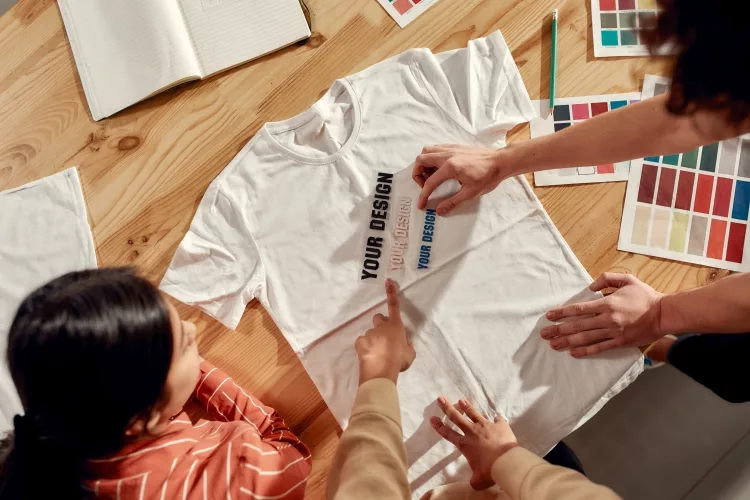
Heat presses divide into three core mechanical designs — clamshell, swing-away, and draw — plus a range of specialty machines built for mugs, caps, plates, and sublimation substrates. Each uses heat and pressure to bond transfers to a surface, but the mechanics differ in ways that affect your workflow, your safety, and your finished quality. Understanding those differences puts you in control of every press you make.
This guide walks you through each machine type, compares their strengths and weaknesses, and covers the practices, mistakes, and myths that shape real-world results. Whether you press a few items per week or run full production batches, the right knowledge leads to the right machine.
Contents
- Comparing the Most Popular Types of Heat Press Machines
- Choosing Your Machine: What the Specs Actually Mean
- Best Practices for Consistent, Professional Results
- Costly Errors That Hurt Your Output
- Diagnosing Problems When Transfers Go Wrong
- Techniques the Best Operators Use Every Day
- Heat Press Myths That Mislead Beginners
- Frequently Asked Questions
- Key Takeaways
Comparing the Most Popular Types of Heat Press Machines
Heat press machines fall into distinct categories, each designed for specific workflows and substrates. Knowing where each type excels — and where it falls short — is the fastest path to a smart purchase decision.
Clamshell Presses
Clamshell presses are the most popular entry-level option on the market. The upper platen hinges at the back and opens upward like a clamshell. They're compact, affordable, and fast to load. For beginners pressing t-shirts or flat garments, a clamshell gets you up and running without a large upfront investment.
The main downside is limited clearance. The upper platen opens at an angle rather than fully flat, making it harder to position transfers precisely on thick or layered items. You also need to be mindful of your hands during loading since the heated platen opens toward you.
Swing-Away Presses
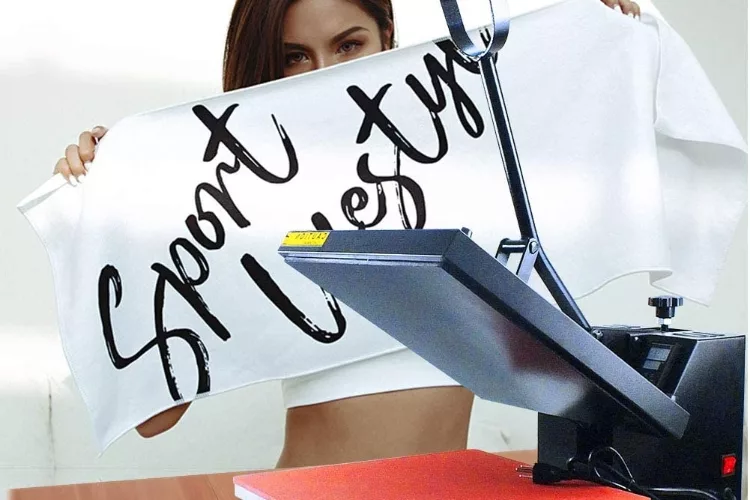
A swing-away press moves the upper platen fully to the side, giving you unobstructed access to the lower platen. This design makes precise placement significantly easier and keeps your hands away from the heated surface while you position your transfer. Most professional shops prefer swing-away machines for exactly this reason.
They require more table space because the arm swings out laterally. They're also heavier and generally more expensive than comparable clamshell models. But for operators pressing varied garment types and thicknesses, the improved ergonomics and safety margin justify the extra footprint.
Draw Presses
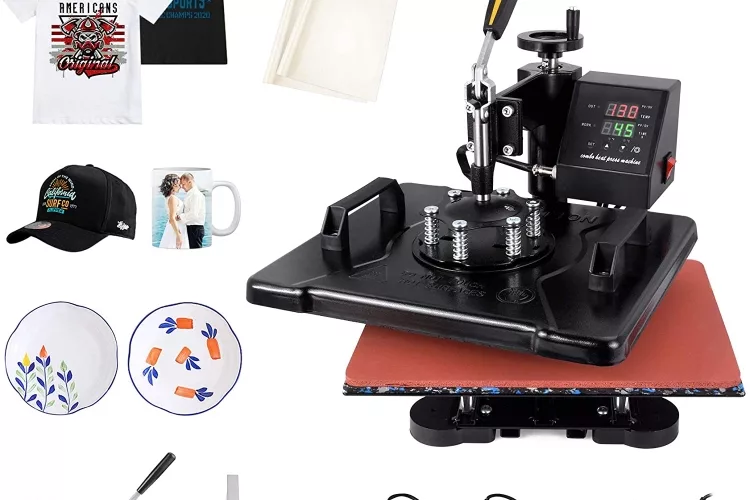
Draw presses — sometimes called drawer presses — use a lower platen that slides out toward you like a drawer. You load your garment on the extended platen, slide it back under the heat source, and press. This design eliminates burn risk during loading entirely. Draw presses are common in high-volume commercial environments where operator safety and throughput both matter. They take up the most floor space of the three core designs, but for production-level operations, that tradeoff is worth it.
Specialty Machines
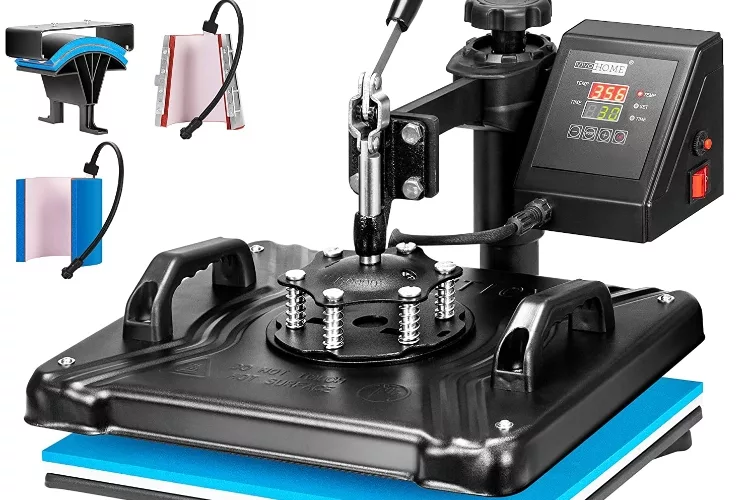
Beyond flat-garment presses, you'll find machines built specifically for mugs, caps, plates, and other curved or irregular substrates. A mug press machine uses a curved heating element to wrap around cylindrical surfaces evenly. Cap presses feature a contoured lower platen that matches the crown of a baseball cap. These specialty machines aren't interchangeable with flat presses — you need the right tool for the surface. For a broader perspective on how heat press methods compare to other approaches, our guide on screen printing vs heat press breaks down the key differences.
| Machine Type | Best For | Footprint | Price Range | Skill Level |
|---|---|---|---|---|
| Clamshell | Beginners, flat garments | Small | $150–$400 | Beginner |
| Swing-Away | Varied garments, pro shops | Medium–Large | $300–$700 | Intermediate |
| Draw/Drawer | High-volume, safety-focused | Large | $500–$1,200+ | Intermediate–Advanced |
| Mug Press | Mugs, cylindrical items | Small | $80–$300 | Beginner |
| Cap Press | Baseball caps, hats | Small | $150–$400 | Beginner |
| Sublimation Press | Polyester, hard substrates | Medium | $200–$600 | Intermediate |
Choosing Your Machine: What the Specs Actually Mean
Specs on a heat press listing aren't just numbers — they tell you exactly what the machine can and can't handle. Platen size is the most important spec to evaluate first. A 15×15-inch platen covers adult t-shirt fronts comfortably, while a 9×12-inch platen limits you to smaller pieces. If you plan to press youth tees, tote bags, and pillow covers, your platen needs to accommodate all of them.
Temperature range and accuracy matter just as much as platen size. Look for a machine that reaches at least 400°F and holds that temperature consistently within ±5 degrees. Cheap machines often have hot spots — concentrated areas of uneven heat — which produce inconsistent transfers across the platen surface. A digital controller with a reliable readout is worth the extra cost.
Pressure adjustment is the third critical factor. Most machines use a knob or screw-based system. Not all substrates need the same pressure — sublimation printing typically requires lighter pressure than heat transfer vinyl — so repeatable pressure control keeps your results predictable from one job to the next.
Pro tip: Always verify your press's temperature readout against actual platen surface temperature using an infrared thermometer. Factory calibration is frequently off by 10–20°F.
Best Practices for Consistent, Professional Results
The time-temperature-pressure combination is the core of every successful transfer. Get all three right and your transfer bonds cleanly. Miss on any one of them and you'll see peeling, fading, or incomplete adhesion. Use the transfer manufacturer's recommended settings as your baseline, then refine based on your specific machine and fabric.
Always preheat your garment before placing a transfer. A 3–5 second pre-press removes moisture and wrinkles from the fabric, creating a flat, dry surface for the transfer to bond to. This single step eliminates a significant percentage of adhesion failures that operators mistakenly attribute to bad transfers or defective machines.
Place a Teflon sheet or silicone pad between the platen and your transfer on every press. This protects heat-sensitive materials from scorching and prevents vinyl from sticking to the platen. If you're working with sublimation, the Teflon sheet also prevents dye gases from migrating and contaminating future jobs. For design inspiration to go with your technique, our guide on designing a great t-shirt covers what makes finished pieces stand out.
Costly Errors That Hurt Your Output
The most common mistake new operators make is setting pressure too high. More pressure does not mean better adhesion. Excessive pressure crushes fabric texture, leaves an imprinted border around the design, and can damage both the transfer and the garment. Start at medium pressure and adjust upward only when the transfer spec calls for it.
Using the wrong transfer type for your substrate wastes materials and delivers poor results. Sublimation only bonds to polyester fibers and polymer-coated hard surfaces — pressing it onto a 100% cotton shirt leaves a faded, washed-out image with no durability. Before you press anything, confirm that your transfer method matches your substrate. Our comparison of sublimation vs heat transfer covers what works where and why.
Warning: Never leave a garment under the platen after the timer sounds. Even a few extra seconds at 375°F can scorch fabric or cause vinyl to over-cure and crack prematurely.
Ignoring peel instructions is another costly error. Cold peel transfers require the paper to cool before removal. Hot peel transfers need to come off immediately. Doing the opposite causes designs to lift, smear, or leave adhesive residue. Read the peel specification on every transfer product before you press — not after something goes wrong.
Diagnosing Problems When Transfers Go Wrong
Ghosting — a blurred double image — happens when the garment or transfer shifts during pressing. This is almost always caused by insufficient pressure or an unsecured garment. If you see ghosting consistently, check your pressure settings and confirm the garment is wrinkle-free and flat before closing the platen.
Peeling transfers point to one of three causes: not enough heat, not enough dwell time, or a substrate mismatch. Run a test press on a scrap piece, then increase temperature or dwell time in small increments until the transfer bonds fully. Document your settings — guessing repeatedly is how good materials get wasted.
Uneven transfers indicate a hot spot or cold spot on your platen. Use an infrared thermometer to map surface temperature at five points — four corners and center. If the variance exceeds 10°F, your heating element may be failing or your platen may be warped. According to Wikipedia's overview of heat transfer printing, consistent pressure and temperature distribution across the platen surface are among the most critical factors in achieving professional-grade results. A warped platen requires replacement — you can't press around it.
Techniques the Best Operators Use Every Day
A pressing pillow is one of the most underused accessories in heat press work. When you press over seams, zippers, or pocket edges, the platen can't make full contact with the transfer — you get uneven adhesion along those raised areas. A pressing pillow fills that gap and keeps the surface even under the platen. Keep pressing pillows in multiple thicknesses to handle different garment constructions without switching machines.
Log every press job. Note the garment type, transfer brand, temperature, pressure setting, and dwell time. When a press comes out perfect, you have a repeatable recipe. When something goes wrong, you have a reference point to diagnose the problem. Operators who log their settings get consistent results. Those who don't treat every batch as a guessing game.
Always run a test before committing to a full batch. When you're working with a new transfer supplier, a new substrate, or a new machine, press one sacrificial piece first. The cost of a single test item is nothing compared to a ruined production run.
Insider insight: Many professional operators run a "ghost press" — a few seconds of heat with no transfer — on a new garment to burn off manufacturing residues before the real press, preventing contamination on white or light-colored fabrics.
Heat Press Myths That Mislead Beginners
The most persistent myth is that higher temperature always produces better results. This leads beginners to push heat past manufacturer recommendations, which scorches fabric, melts vinyl, and destroys transfers. Every transfer type has an optimal temperature window. Operating outside that window — in either direction — degrades quality. Follow the spec, not the instinct.
Another widespread misconception is that one machine can handle everything. A flat platen press doesn't work on mugs. A mug press doesn't work on t-shirts. The platen's shape must match the substrate's surface for even heat and pressure distribution. One machine rarely does everything well. If your work includes both flat garments and curved substrates, plan your equipment accordingly — or invest in a multi-function system purpose-built for both.
Finally, many buyers assume a high price tag guarantees quality. That's not always true. A mid-range swing-away from a reputable brand outperforms an overpriced machine from a no-name manufacturer every time. Read verified user reviews, check the warranty, and prioritize even heat distribution and build quality over feature lists you'll never use.
Frequently Asked Questions
What is the best type of heat press for beginners?
A clamshell heat press is the most beginner-friendly option. It's compact, affordable, and straightforward to operate. Look for a model with a 15×15-inch platen, digital temperature and timer controls, and adjustable pressure. Once you're comfortable with basic pressing technique, a swing-away gives you more placement precision and safety clearance.
Can I use one heat press for all substrates?
Not effectively. Flat platen presses work on t-shirts, bags, and similar flat garments. Mugs require a curved mug press. Caps need a contoured cap press. If you're pressing multiple substrate types, plan to own more than one machine — or look for a multi-function heat press designed specifically for varied surfaces.
How do I know if my heat press temperature is accurate?
Test it with an infrared thermometer against the actual platen surface. Most machines leave the factory with calibration errors of 10–20°F. Check multiple points across the platen to identify any hot or cold spots. Adjust your set temperature to compensate for variance, and recheck after the machine has fully warmed up.
What's the difference between sublimation pressing and heat transfer vinyl pressing?
Sublimation converts dye into a gas that permanently bonds with polyester fibers or polymer-coated surfaces — it only works on light-colored polyester or coated hard goods. HTV is a cut vinyl layer that bonds to the fabric surface using heat and pressure, and it works on a wider range of fabrics including cotton blends. Both use a heat press, but settings, peel timing, and substrate requirements are completely different.
Key Takeaways
- The three core types of heat press machines — clamshell, swing-away, and draw — each suit different budgets, skill levels, and production volumes.
- Specialty machines for mugs, caps, and sublimation substrates are purpose-built tools that cannot be substituted with a flat platen press.
- Consistent results depend on matching your time, temperature, and pressure settings to your specific transfer type and substrate — not guessing.
- Most transfer failures — ghosting, peeling, and uneven adhesion — are diagnosable and fixable once you understand how heat, pressure, and platen accuracy interact.
 |  |  |  |

About Anthony Clark
Anthony Clark spent nine years running a custom printing studio in Phoenix, Arizona, producing sublimation-printed drinkware, heat-pressed apparel, and branded merchandise for sports leagues, small businesses, and online retailers. That hands-on production background means he has calibrated hundreds of heat press cycles, sourced sublimation blanks from over a dozen suppliers, and troubleshot every coating and color-shift problem that shows up when dye meets polyester. He left the shop floor in 2019 to write full-time about the techniques and equipment he used daily. At PrintablePress, he covers sublimation printing and heat press methods.


Get some FREE Gifts. Or latest free printing books here.
Disable Ad block to reveal all the secret. Once done, hit a button below
| | | |