Can You Laminate Your Social Security Card
by Karen Jones · March 28, 2022
Have you ever held your flimsy paper Social Security card and thought about running it through a laminator for safekeeping? That instinct makes sense — the card is paper-thin, tears easily, and carries your most sensitive identifier. But here's the direct answer: you cannot laminate your social security card. The Social Security Administration explicitly prohibits it, and a laminated card will be rejected at nearly every official checkpoint that requires it. This guide explains exactly why the rule exists, what the consequences are, and — most importantly — what actually works to protect your card. Browse our printer guides for additional resources on handling and printing important documents at home.
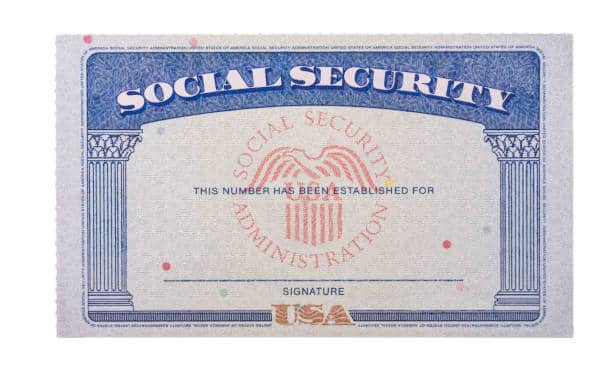
Your Social Security card is required for new employment, government benefit applications, certain license renewals, and identity verification. The stakes for keeping it valid are high. Understanding the reasoning behind the lamination rule makes it much easier to adopt the alternatives — and those alternatives are simpler and cheaper than most people expect.
Whether you're protecting your own card or organizing records for your whole household, every answer you need is below.
Contents
Can You Laminate Your Social Security Card? The Official Answer
What the SSA Actually Prohibits
The Social Security Administration is explicit: do not laminate your Social Security card. This rule applies to every card regardless of when it was issued or what condition it's in. The prohibition isn't bureaucratic red tape — it exists because of the security features built directly into the card.
Current Social Security cards include several verification features that officials rely on:
- Intaglio printing: A raised-texture printing technique you can feel with your fingertip — the same method used on U.S. currency.
- UV-reactive security ink: Visible only under ultraviolet light, used to confirm the card is genuine.
- Fine-line background patterns: Printed into the paper itself, difficult to replicate with consumer printers.
- Banknote-style blue printing on the reverse.
When you laminate the card, you permanently seal those features behind a plastic layer. The intaglio texture disappears. UV scanners may not penetrate the laminate. The card shifts from a verifiable document to something that looks suspicious — even if every piece of information on it is completely accurate.
Why People Laminate — And Why Those Reasons Don't Hold Up
People reach for the laminator for understandable reasons:
- Physical durability: The card is thin paper that folds, tears, and degrades over time.
- Water resistance: A single spill can ruin an unprotected card.
- Easier to carry: A laminated card behaves more like a standard wallet card.
- Long-term preservation: Some people want a card that lasts decades without yellowing or fraying.
Every single one of these concerns is valid. But lamination solves them in a way that creates a far larger problem — official invalidity. A card that's physically durable but rejected at every government counter or HR desk serves no purpose when you actually need it. Better solutions exist for every concern on that list.
The Real Trade-offs: Weighing Your Options
What You Gain from Laminating
To be fair, lamination does offer something — just not very much:
- A thicker, more rigid card that resists accidental folding
- Basic resistance to spills and surface moisture
- A surface that wipes clean more easily
- A wallet-card feel that some people find more comfortable
That's the complete list. Notice it contains nothing about security, legal validity, or long-term official usefulness.
What You Lose — And It's Substantial
The downside list is much longer and far more consequential:
- Rejected for I-9 employment verification at every new job
- Fails security feature checks at SSA offices and government agencies
- Unusable for passport applications that require a Social Security card
- Forces a mandatory replacement that counts against your lifetime limit
- Delays any process that required the card in the first place
- Costs you hours of paperwork, document gathering, and waiting
| Factor | Laminated Card | Protected (Unlaminated) Card |
|---|---|---|
| Accepted for I-9 employment verification | No | Yes |
| Accepted at SSA offices | No | Yes |
| Security features verifiable | No | Yes |
| Physical durability | High | Moderate (with sleeve) |
| Water resistance | High | Moderate (with sleeve) |
| Requires replacement to use again | Yes | No |
| Counts against lifetime replacement limit | Yes | No |
The laminated card trades official usability for physical durability. That's a bad trade by any measure. You're converting a valid government-issued document into a piece of plastic that looks official but legally isn't.
Smarter Alternatives That Actually Protect Your Card
Immediate Low-Cost Wins
You don't need lamination to protect your Social Security card. These alternatives provide real protection without touching the card's validity:
- Clear plastic card sleeves: A hard, transparent sleeve designed for ID cards provides physical and moisture protection without contacting the card's surface. A pack of ten costs under $5. Look for sleeves slightly larger than a standard credit card — Social Security cards are a bit wider.
- Archival-quality envelope storage: Acid-free envelopes prevent yellowing and deterioration over decades. Pair this with a fireproof lockbox for maximum protection.
- Scanned digital copies: Scan your card at 300 DPI or higher and store the image in an encrypted folder. Print a copy for reference when filling out forms that only ask for your SSN, not verification of the card itself. A dependable home printer makes this easy — our guide to the best wired printers highlights models well-suited for document scanning and high-quality printing.
- Dedicated document wallet: Keep your Social Security card, birth certificate, and passport together in one fireproof document bag. Consolidation reduces the chance of losing any single item.
Long-Term Protection Strategies
Beyond the quick fixes, build habits that reduce exposure and risk over the long term:
- Stop carrying it daily. Your SSN appears on your W-2, tax returns, and benefits correspondence. You almost never need the physical card with you. Leave it at home in secure storage.
- Know when you actually need it. You typically need the physical card only for a new job's I-9 form, certain government benefit applications, or specific license renewals. For everything else, your number is enough.
- Invest in a fireproof safe. A basic fireproof document safe runs $30–$80 and protects against fire, flood, and theft simultaneously. That covers the three most common causes of document loss.
- Print quality reference copies. For informational use — not identity verification — a clean, crisp printed copy is useful. Our roundup of best laser printer papers includes options that reproduce text-heavy documents with excellent clarity.
What It Costs to Replace a Laminated Card
SSA Replacement Limits
The SSA charges no direct fee to replace your Social Security card. Zero dollars out of pocket. But that doesn't mean replacement is free in any meaningful sense — because the limits are strict and finite.
- 3 replacements per calendar year
- 10 replacements in your lifetime
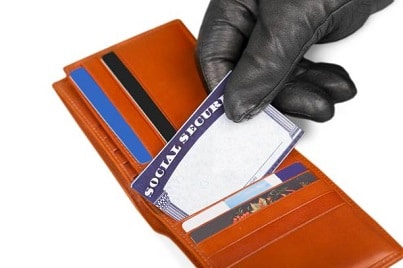
Those limits exist strictly for fraud prevention. If you laminate your card and need to replace it, you consume one of your ten lifetime slots on an entirely avoidable mistake. That matters later — if you lose your card to a house fire, flood, or theft, you want those slots available. Situations you control and situations you don't are not equally forgivable, but the SSA's counter doesn't distinguish between them.
Certain circumstances do exempt you from limits: legal name changes, citizenship status changes, or correcting an error the SSA made. A lamination-triggered replacement does not qualify for any exemption. It counts the same as any other replacement.
Hidden Costs You Haven't Considered
Even with no SSA fee, replacing a card costs real time and energy:
| Cost Type | Amount / Impact | Notes |
|---|---|---|
| SSA replacement fee | $0 | No direct charge |
| Annual replacement limit | 3 per calendar year | Counts for avoidable replacements |
| Lifetime replacement limit | 10 total | No exception for lamination damage |
| Processing time | 2–4 weeks | No expedited option available |
| In-person SSA office visit | Variable travel time | Required in some cases |
| Document gathering | 1–3 hours | Original ID and citizenship proof required |
| Employer delays | Varies | Can push back job start date if I-9 is pending |
The most painful hidden cost is timing. If you laminate your card on a Friday and start a new job the following Monday, you're walking into an I-9 verification with an invalid document. Your employer cannot legally complete that form without an acceptable identity document, and your start date can be pushed back until your replacement arrives.
Already Laminated Your Card? Here's How to Fix It
Step-by-Step: How to Request a Replacement
If you've already laminated your Social Security card, the fix is straightforward. Follow these steps in order:
- Stop presenting the laminated card. Don't attempt to use it for verification purposes. It will be rejected, and repeated attempts can create compliance headaches for your employer or the agency involved.
- Gather original proof of identity. A U.S. driver's license, state ID, or U.S. passport works. The document must be original — no photocopies, no digital scans.
- Gather proof of citizenship or immigration status. A U.S. birth certificate, U.S. passport, or Certificate of Naturalization are the most common documents accepted. Again, originals only.
- Download and complete Form SS-5. This is the Application for a Social Security Card, available on the SSA website. Fill it out completely before you submit — incomplete forms get returned and extend your wait time.
- Submit your application. You can mail your application and supporting documents to your local SSA office, or visit in person. The SSA returns all original documents to you by certified mail.
- Wait for your card. Standard processing is 2–4 weeks. Your card arrives by regular mail at the address you provided on Form SS-5.
One critical detail: you cannot substitute photocopies for your supporting documents. The SSA requires originals every time, which is why the process takes as long as it does. Submit everything at once to avoid a back-and-forth that stretches your wait by weeks.
What to Expect During the Replacement Process
A few things to prepare for before you submit:
- No interim card is issued. You won't receive a temporary document while your replacement is processed. If a form only requires your SSN (not card verification), you can pull that number from a W-2, Social Security statement, or prior tax return.
- In-person wait times vary widely. SSA offices in urban areas often have significant wait times. Scheduling an appointment online is faster than walking in.
- Your number stays the same. Replacement cards carry the exact same Social Security number. The only change is the physical card itself.
- Track your application online. Once submitted, the SSA provides case status updates through its online services portal.
If you manage household records for multiple family members — children, elderly parents, or a large homeschool family — keeping everything organized in one secure location is essential. Our guide to the best printers for homeschool covers home office setups built for printing, scanning, and filing documents at household scale.
Frequently Asked Questions
Can you laminate your social security card?
No. The Social Security Administration explicitly prohibits laminating your Social Security card. Lamination permanently covers the card's built-in security features — including intaglio printing and UV-reactive ink — making official verification impossible. A laminated card is rejected for I-9 employment verification, SSA office visits, passport applications, and most other official uses that require the physical card.
What happens if I already laminated my Social Security card?
You need to apply for a replacement card using Form SS-5. The replacement is free but requires original proof of identity and citizenship, takes 2–4 weeks to process, and counts against your 3-per-year and 10-lifetime replacement limits. Stop presenting the laminated card immediately and gather your supporting documents before submitting the application.
Is there a fee to replace a Social Security card damaged by lamination?
The SSA charges no direct fee for card replacement under any circumstances. However, the replacement counts toward your annual limit of 3 replacements and your lifetime limit of 10. The real costs are time — document gathering, potential SSA office visit, and 2–4 weeks of processing before your new card arrives.
Can I carry a photocopy of my Social Security card instead of the original?
For informational purposes — filling out forms that ask for your SSN but don't require card verification — a photocopy often works. However, for official identity verification, including I-9 employment eligibility forms, you must present an original unlaminated card or another acceptable document from the I-9 List of Acceptable Documents. A photocopy is never accepted in place of the original for verification.
Why does the SSA forbid lamination specifically?
Social Security cards carry physical security features that government officials use to verify authenticity. Intaglio printing creates a raised texture detectable by touch. UV-reactive ink shows specific patterns under ultraviolet light. Fine-line background patterns are printed into the paper itself. Lamination seals all of these behind plastic, making physical and electronic verification impossible. The card loses its credibility as a government-issued document the moment it's laminated.
What is the best way to protect a Social Security card without laminating it?
Store your card in a clear hard-plastic card sleeve inside a fireproof safe or lockbox. Don't carry it in your wallet daily — the overwhelming majority of situations only require knowing your SSN, not presenting the physical card. Scan the card and keep an encrypted digital copy as a backup reference. Use the physical card only when a specific agency or employer asks for it directly.
How long does it take to get a replacement Social Security card?
Standard processing takes 2–4 weeks from the date the SSA receives your complete application with all original supporting documents. There is no expedited processing option. If you need the card urgently for an upcoming job start, apply as early as possible and ask your employer whether another document from the I-9 List of Acceptable Documents can cover the verification requirement in the meantime.
Does the lamination rule apply to children's Social Security cards as well?
Yes. The SSA rule applies uniformly to all Social Security cards, regardless of the cardholder's age. Laminating a child's card invalidates it just as it would an adult's. If you laminate your child's card, a replacement will be required using Form SS-5. Use a protective card sleeve or secure document storage instead — the same solutions that work for adults work equally well for children's cards.
Next Steps
- Check your card's current status. If it's already laminated, download Form SS-5 from the SSA website today and start the replacement process before you need the card for a job or government application — not after.
- Buy a clear card sleeve right now. A hard plastic ID holder or card sleeve costs under $5 for a pack and solves every durability concern without invalidating the card. Order one today and transfer your card out of your wallet and into protected storage.
- Get a fireproof document safe. Store your Social Security card alongside your birth certificate and passport in a single fireproof lockbox. One purchase protects all your critical documents against fire, flood, and theft at the same time.
- Scan your card and store a digital backup. Use a home scanner or smartphone scanning app to create a high-resolution image and save it in an encrypted, password-protected location. This gives you instant access to your SSN without ever touching the original card.
- Remove the card from your wallet permanently. Take it out today. Store it at home and carry it only when a specific situation — a new job's I-9, an SSA office visit — actually requires the physical document.
 |  |  |  |

About Karen Jones
Karen Jones spent seven years as an office manager at a mid-sized financial services firm in Atlanta, where she was responsible for a fleet of more than forty inkjet and laser printers spread across three floors, managed ink and toner procurement contracts, and handled first-line troubleshooting for connectivity failures, paper jams, and driver conflicts before escalating to IT. That daily exposure to printers from Canon, Epson, HP, and Brother under real office conditions gave her a practical command of setup, maintenance, and common failure modes that spec sheets never capture. At PrintablePress, she covers printer how-to guides, setup and troubleshooting tips, and practical advice for home and office printer users.


Get some FREE Gifts. Or latest free printing books here.
Disable Ad block to reveal all the secret. Once done, hit a button below
| | | |